


Imagine landing on a local bakery’s website for the first time. Instead of finding simple directions, clear menu options, or a quick way to order, you’re greeted by a cluttered homepage, confusing menus, and buttons that seem to blend into the background. In under eight seconds, your mind is made up: it’s easier to close the tab than figure out what to do next. This is the scenario facing countless small businesses every day—a split-second decision by website visitors that determines whether a business earns a new lead or loses a potential customer.
- You’ll learn why most small business web design fails to deliver results, even if it looks attractive.
- See how real customers make choices online—why most people scan and scroll, and what they need to see in the first few seconds.
- Get practical steps for building a business website that actually turns visitors into leads using proven design principles and clear calls-to-action.
Understanding Small Business Web Design and Why It Matters
Small business web design is about much more than appealing colors and stylish layouts. Every storefront or local service—whether a retail shop, restaurant, or medical practice—needs a business website that doesn’t just exist, but communicates effectively and guides visitors toward taking action. In today’s landscape, it’s not enough to have a beautiful website design; the structure must align with how real people browse online, prioritizing clarity and immediate relevance. Unclear messaging and complex navigation can quietly repel visitors—even those ready to become customers.
A well-designed website is now the front line for building trust and converting site visitors into phone calls, bookings, or purchases. Small business web design that focuses on user experience not only reflects professionalism, but also removes barriers between a visitor and the next step. If a visitor can't quickly determine what you offer or how to reach out, even the best services may go unnoticed. In a crowded online marketplace, effective business web design ensures that your first impression invites people in, builds trust rapidly, and provides a clear path to conversion.

The Purpose of Small Business Website Design for Lead Generation
A successful small business website has a single clear goal: to turn visitors into leads. This means guiding people to call, book, purchase, or inquire—whatever action helps your business grow. Many owners approach web design as a branding exercise, overlooking that every part of the site should support conversion. Lead generation is not about adding fancy animations or endless features; it’s about removing confusion and making it easy for someone to know what you do, trust your business, and take the next step, fast.
Clear calls-to-action, focused headlines, and a simple structure do the heavy lifting. When business website design removes unnecessary clicks and puts the offer front and center, visitors are far more likely to act. The most effective sites let people scan and decide quickly, proving that strategic business web design can turn online browsers into real customers.
For small businesses aiming to refine their web presence, understanding the broader framework of content strategy can be invaluable. Exploring the Structured Local Authority Publishing approach offers practical insights into organizing website content for both clarity and authority, which directly supports better lead generation outcomes.
How Business Web Design Shapes First Impressions and Trust
First impressions online are formed in moments. Visitors instinctively judge whether a business is trustworthy and credible based on how its website looks and how clearly it communicates. A well-organized website design, with coherent layouts and consistent color schemes, signals professionalism. Beyond looks, though, it’s the ease of finding information and navigating the site that builds trust. If a potential client cannot understand what you do or how to contact you within seconds, trust is lost before any relationship begins.
For small businesses, this means that web design is not just about standing out visually, but about making customers feel confident right away. The presence of clear business web design, including direct copy, accessible navigation, and prominent next-step buttons, encourages exploration and underscores that the business values transparency. In short, trust starts with clarity and continues when users feel supported by the website at every step.
How Customers Make Decisions on Small Business Websites
When people visit small business websites, their behavior is less about careful study and more about instant impressions. The reality is, most visitors land on a page, give it just a few seconds of attention, and then make a decision. Small business web design must account for the fact that users are not reading every word—they’re rapidly scanning, looking for clues about what your business offers and whether it’s worth reaching out. Clear, simple layouts and focused calls-to-action increase the likelihood of capturing that fleeting window of attention.
Customers are rarely patient online. If the website is difficult to use or the information takes too long to find, the opportunity for conversion is almost always lost. Businesses that recognize how quickly choices are made—and design for scanning and scrolling rather than clicking through endless menus—outperform those that focus only on aesthetics. Ultimately, making the online decision-making process fast and intuitive is what separates effective small business web design from the rest.
Short Attention Spans and Scanning—The Online Consumer Reality
Statistics suggest that the average attention span of an online user is about eight seconds. In that tiny window, website visitors are not reading deeply; they’re scanning headlines, looking for familiar keywords, and sizing up whether the site matches their needs. Small business websites often lose potential customers simply because the first screen feels cluttered, confusing, or disconnected from what users expect. Web design for small businesses must acknowledge that visitors behave more like skimmers than readers.
This fast-paced, scanning-based behavior means the most important information—what your business does, why it’s right for the visitor, and where to take action—must be immediately visible, preferably above the scroll or within the first two swipes on mobile devices. Business website design that understands and adapts to short attention spans naturally performs better. The more friction a visitor encounters, the more likely they are to exit and check the next business in their search results.

Scrolling vs Clicking: How Users Interact With Web Design
Today’s online consumers overwhelmingly prefer to scroll rather than click through multiple pages. This change in behavior is especially relevant to small business web design, where every extra menu or step can mean fewer leads. Users are accustomed to moving down a page on their mobile device, instantly seeing the business’s offer, testimonials, and contact options all in one place. Clicking, by contrast, interrupts the experience and increases the risk of losing a visitor who simply wanted fast answers.
One-page website designs, which allow visitors to see all key information in a smooth flow, have become popular because they align with how people now browse. It’s easier for customers to absorb content, compare offerings, and act without having to load new pages or decipher complex navigation bars. Business websites that minimize clicks and optimize for scrolling often see better engagement and conversion rates—turning organic traffic into booked appointments or leads.
| Behavior | User Experience | Lead Conversion Impact |
|---|---|---|
| Scrolling | Seamless, linear flow of information. Users see everything they need without leaving the page. | Increases engagement, supports instant decision-making, and improves conversion rates. |
| Clicking | Requires users to load new pages, disrupting flow. Content is harder to find; friction rises. | Leads to drop-offs, confusion, and lower conversion, especially on mobile devices. |
Core Principles of Effective Small Business Web Design
Core principles make the difference between a business website that gets results and one that simply exists online. First, clarity is essential: visitors must instantly know who you are, what you do, and how to contact you. Second, modern web design is mobile-first—more than half of all traffic now comes on mobile devices, so layouts, buttons, and forms must be easy to read and interact with on smaller screens. Third, business website speed matters: slow-loading pages lose impatient users before they’ve even seen your message.
Finally, strong calls-to-action must be baked into every part of the business web design. This means not just having a “Contact Us” button, but making sure it stands out, is easy to spot, and clearly tells visitors what to do next. Simplicity—through single-page designs and focused content—outperforms complex, multi-menu websites. By committing to these principles, small businesses make it easy for potential customers to become leads.
- Clear message, value proposition, and business offer immediately visible
- Mobile-first responsive design prioritizes browsing on smartphones and tablets
- Fast load times for all content and images
- Simple, single-page structure to reduce navigation friction
- Strong, direct calls-to-action on every screen
- Trust signals like testimonials, reviews, and badges close to CTAs
Why One-Page Website Design Reduces Friction for Small Businesses
A single page website puts all important details—who you are, what you do, social proof, and a way to take action—on one continuous scroll. This format is in tune with modern browsing behavior where users expect instant gratification and minimal effort. Complex menus and multi-step navigation are counterproductive, especially when visitors have an abundance of options from other businesses in the same online search.
One-page designs streamline the experience, allowing the focus to shift toward what matters most: clear messaging and compelling calls-to-action. Small businesses that choose this path remove unnecessary obstacles, making it easy for users to say “yes” and move forward. In essence, simplicity in small business web design isn’t a limitation—it’s a conversion advantage that aligns with how visitors actually behave.
Mobile-First Small Business Web Design: The Modern Standard
Mobile browsing is now dominant, and small business web design must serve mobile devices first. A mobile-first approach means layouts resize cleanly, text is readable without pinching, buttons are tap-friendly, and key content loads quickly on slow connections. Most visitors, especially from local SEO search engines, are landing on business websites using mobile phones—so the experience must be designed and tested from a smartphone perspective.
Responsiveness isn’t just about adjusting layout; it’s about making sure every interaction, from scrolling through services to filling out contact forms, is pain-free on any device. Failure to prioritize mobile-first design leads to lost leads and a frustrating reputation among smartphone users. Businesses that adapt see better engagement and higher likelihood of converting casual browsers into customers.

The Importance of Clear Calls-to-Action in Small Business Web Design
A clear call-to-action (CTA) is the difference between a visitor who hesitates and one who acts. In small business web design, CTAs must be direct (“Call Now,” “Book Online,” “Request Estimate”), visually distinct, and present throughout the page—especially where decisions are made. Invisible or generic buttons leave visitors unsure of what to do next, while strong CTAs make it easy for anyone to move forward confidently.
The best business websites ensure that CTAs are accessible on all devices, prominent regardless of where a user lands, and repeat often enough that users never lose track of the next step. With strong calls-to-action, the path from curiosity to conversion feels effortless, enabling more leads and proving the tangible value of clear, focused web design.
Strong calls-to-action guide visitors clearly toward taking the next step, making it easier for small businesses to generate leads.
Common Reasons Small Business Website Design Fails to Generate Leads
Despite the opportunity, many business websites fail to turn visitors into leads. The most common culprits are unclear message, confusing structure, poor mobile optimization, and slow speeds. It’s rarely the quality of the service or product, but rather how easily a visitor can understand what’s on offer and how quickly they can take action. If a small business web design doesn’t match how customers actually behave online—scanning, scrolling, and seeking clarity—the result is lost leads, no matter how much traffic arrives.
Audit your website design with these challenges in mind. Even a visually appealing site that takes too many clicks or buries its contact points will frustrate visitors. Recognizing and addressing these issues is the first step toward building a more effective, conversion-focused business website.
- Cluttered layouts and too much information overload visitors
- Unclear headlines and offers make it hard to understand what’s for sale
- Menus and navigation that are hard to use, especially on mobile devices
- No obvious calls-to-action, or buttons that are hard to find
- Slow page loads, causing impatience and quick exits

Unclear Messaging: When Visitors Don’t Understand Your Offer
The number one reason small business websites fail is unclear messaging. Visitors need to know, within seconds, exactly what is being offered and how it relates to them. If headlines are vague or services are buried in dense text, it’s easy for prospects to lose interest before finding the information they came for. Even the most attractive custom website is ineffective if new users cannot quickly figure out what step to take next.
This applies to all types of small businesses; from retail and restaurants to home services and medical providers. Web design isn’t just about creativity—it’s about communication. Each section and headline should answer the question: “Does this make it easy for a new visitor to understand what we do?” With clarity, trust builds quickly and more users become leads.
Complex Navigation in Business Website Design Creates Friction
Complex navigation introduces unnecessary barriers for visitors. Many small businesses pack multiple menus, subpages, and intricate dropdowns into their site design—believing more options equate to more information. In practice, these decisions often confuse users, causing them to abandon the process out of frustration. The rise of scrolling as the primary method for exploring a website makes simple, vertical structures the best choice.
Each additional click required is a chance for dropout. Visitors want the answer to their question, fast. When the navigation is straightforward, leads flow more easily. Small business web design must prioritize making paths clear and reducing the cognitive load required to reach important information or take the next converting action.
Lack of Mobile Optimization in Small Business Websites
As mobile device usage outpaces desktop browsing, having a responsive website design is no longer optional for small businesses. Sites that aren’t mobile-optimized suffer from hard-to-read text, tiny buttons, and layouts that break on smaller screens. For local SEO and search engine performance, mobile design is crucial—not just for ranking, but for serving the actual needs of the majority of users.
Small businesses that prioritize mobile-first approaches see higher engagement, longer visits, and more conversions. On the other hand, poor mobile usability means missed calls, lost bookings, and a reputation for being out of touch with modern convenience. To truly compete, a site must be clean, functional, and visually inviting for people using phones and tablets.

Slow Page Speed and Its Impact on Small Business Web Design
Page speed is one of the most overlooked aspects of small business web design. Slow-loading images, too many scripts, or uncompressed files can turn away even the most interested visitors. Search engines and real users both prefer fast, responsive websites. A delay of just a couple of seconds causes potential customers to close the window in favor of another business web design that loads quickly.
Speed also influences how highly your site appears in search results. Simple, streamlined websites with optimized images and minimal extras perform best for both SEO and user satisfaction. The faster a potential customer can reach your content and contact options, the higher your chances of turning interest into leads.
Many business websites lose customers not from poor service, but because the site is confusing or hard to use.
How Small Business Web Design Influences Visibility and Lead Generation
Getting visitors to your website is just the first step—turning them into leads requires a different set of design skills. While traffic comes from local SEO, digital marketing, and search engines, conversion happens only when a site is tailored for immediate comprehension and action. If your business website design is clear and effectively guides users, every visit has the potential to turn into a real customer.
Good web design directs visitor behavior; it emphasizes the business’s value, makes the next steps obvious, and uses a structure that reflects how people now browse. Traffic alone without clear triggers for action is just noise. Only web designs that reduce friction, highlight value, and offer a smooth path to conversion truly capitalize on online attention.
Why Traffic Alone Does Not Convert Without Clear Business Web Design
Many business owners learn the hard way that more website traffic doesn’t automatically mean more customers. The gap occurs when web design isn’t focused on conversion—when visitors land but don’t know what to do, or can’t find the information that makes them choose your business over a competitor. An attractive website with weak CTAs, unclear service descriptions, or hidden contact options will struggle to generate leads, no matter how many users arrive.
A conversion-focused website design makes it easy for anyone to move from curiosity to action. Every element should serve a purpose: connect visitors with the offer, encourage trust, and prompt the desired step—whether it’s calling, booking, or asking for more information. Eliminating friction and making the journey as smooth as possible is at the core of successful small business web design.
How Small Business Web Design Directs Visitor Behavior
Beyond providing information, small business web design shapes how users interact. Visual hierarchy, CTA placement, color scheme, and even the length of content play roles in guiding visitors. Effective sites anticipate how people will scan and scroll, placing key messages and calls-to-action right where attention naturally falls—usually near the top and at logical stopping points further down the page.
Strategic structure leads people forward, highlighting reviews, answers to common questions, and clear pathways to contact or purchase. Every business website is ultimately a digital guide; it’s either making it easy for customers to choose you, or quietly steering them toward trying the next business in Google’s search results.
Competing for Attention: What Makes a Small Business Website Stand Out
Small businesses aren’t just up against local competitors—they’re facing off in search results with dozens of similar companies. Online, people compare websites quickly, often contacting the first business that seems trustworthy, clear, and easy to reach. This means attention doesn’t go to the oldest or even best-reviewed business, but to the one whose website is easiest to understand and engage with.
A standout business website isn’t always the most complicated; more often, it’s the one that presents information cleanly, loads quickly, and uses bold design elements like big buttons and crisp imagery to lead users where they want to go. In this way, clarity and speed are the real competitive advantages for small business web design.
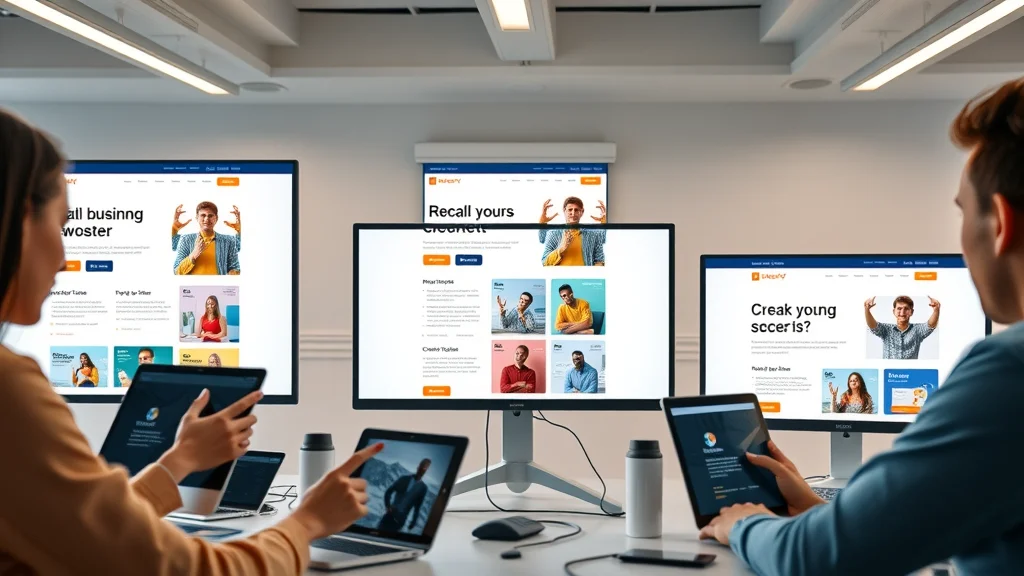
Clarity and Speed: The Deciding Factors in Business Website Selection
When comparing small businesses, customers value websites that load fast and make it obvious what’s offered. They want direct answers—what problem does this business solve, are others happy with the results, and how do I make contact? If a business website takes too long to load or buries its main offer in paragraphs of text, customers will move on. Fast, crystal-clear web design means more leads, not just more clicks.
Research shows that people often choose one of the first one or two businesses that “makes sense” to them, not necessarily the most comprehensive. What matters is making it easy to find what they’re looking for while demonstrating a professional, trustworthy presence with consistent branding, color schemes, and customer reviews shown prominently.
- What do you do and who do you help, stated simply
- Clear, reassuring testimonials or proof of results
- One or two calls-to-action that stand out visually
- Fast loading photos, menus, or booking forms
- Contact details that are easy to locate
How Your Website Stack Up Against Other Small Businesses in Online Searches
Online searches put your small business website side-by-side with local competitors, often on the same search results page. If your web design communicates your message faster than the rest, you are more likely to win the customer. This isn’t about flashy graphics or huge budgets, but a simple, deliberate structure that speaks directly to what online shoppers want: clarity, trust, and instant access to action.
Compare your site to those ranking on the first page for your service. Are headlines clear? Are calls-to-action bold and frequent? Is it easy to navigate, especially on a phone? The more intuitive your design and development, the better your chances for turning search engine visibility into steady lead generation.
Lead Generation in Small Business Web Design: What Really Works
Not all business websites generate the same results. The sites that consistently turn visitors into leads focus on a few universal strategies: keeping the structure simple, communicating clearly, and providing easy next steps. Simple, single-page layouts often outperform complex builds, because they reflect how people now use the web—scrolling, scanning, and looking for quick answers.
Websites that make the next step obvious (with prominent CTAs and uncluttered contact forms) encourage action without overwhelming visitors with choices. Remember: conversion is more likely when your site is easy to understand and when taking action requires little thought. The best small business web design removes every obstacle between the visitor and becoming a customer.
Simple Structure Over Complex Website Build for Lead Generation
A complex website build with multiple service pages, intricate submenus, and a flood of options can actually reduce conversions for small businesses. People want simplicity and speed. When the key information is organized in a logical, single-page scroll—or at the very least, with clear, limited pathways—conversion rates improve. Too many choices force customers to pause and rethink, often ending in a lost lead.
In lead generation web design, every section has a purpose: demonstrate value quickly, support trust, and invite visitors to try, call, or book. Site builders and custom websites that focus on simple structures typically see higher performance compared to those that aim to “wow” with features but neglect clarity.
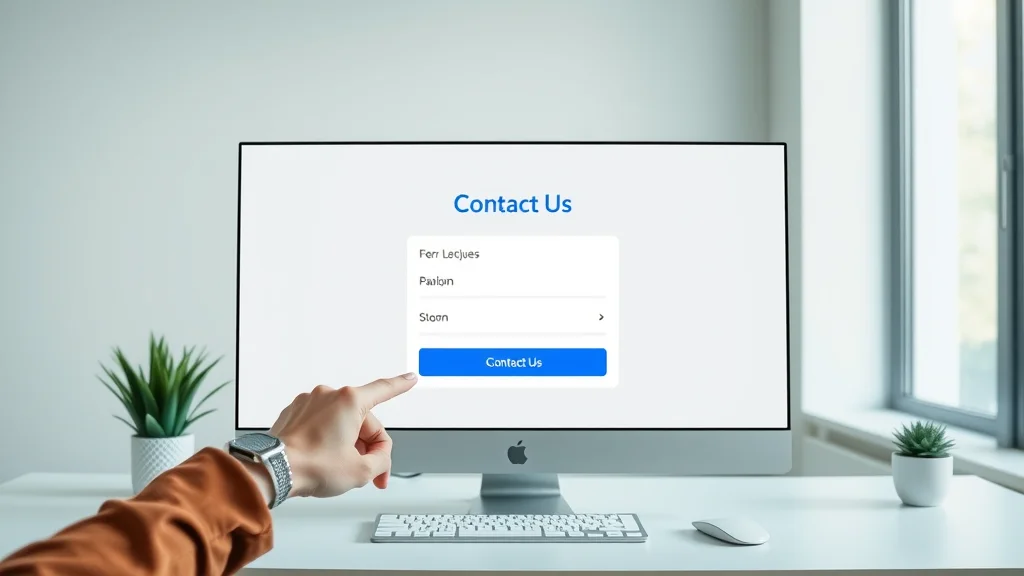
Calls-to-Action That Work: Make Next Steps Obvious for Visitors
Calls-to-action (CTAs) need to be unmissable if you want a visitor to convert. Small business web design that buries its CTAs under menus or passive language (“Submit” instead of “Book Your Spot”) sees fewer interactions. Instead, every call-to-action should stand out visually—through different colors, larger size, or strategic placement—and tell the visitor precisely what to expect when they click.
Visitors don’t want to think hard about what comes next. If it takes effort to find your contact form, request a quote, or make a booking, your business website design is working against you. Be generous with CTAs, placing them after each major section and always making sure there’s no risk of confusion about the next step. Consistency in this approach leads to more leads, more often.
A visitor is more likely to take action when the next step is clear and immediate.
Practical Steps for Improving Small Business Web Design
Building a better business website doesn’t mean starting over. Most small businesses can see dramatic improvement by auditing their current structure against the principles of lead generation web design: clarity, simplicity, and mobile optimization. By addressing key weak points, even older sites can start generating more consistent leads.
- Review your homepage: does it state clearly what you do and who you help?
- Simplify navigation: cut unnecessary menus or subpages; make your site mostly scroll-based
- Audit your site on mobile devices—adjust text, buttons, and forms for easy use
- Test all CTAs: do they stand out, and are they repeated where crucial decisions are made?
- Remove slow-loading images or unused scripts to improve speed
- Add or update testimonials and trust signals near your main calls-to-action
- Check that contact options (phone, email, forms) are always visible and labeled clearly
Expert Insights on Small Business Web Design Trends
Modern lead generation websites for small businesses prioritize mobile-first layouts and one-page design structures. Trends point away from heavy, multi-page builds and toward clarity, speed, and user-focused pathways that make it as easy as possible for visitors to convert. Businesses investing in these trends see higher customer satisfaction and outpace competitors relying on legacy, cluttered website structures.
Top web design strategies also emphasize local SEO, minimal but effective color schemes, and proving credibility upfront with relevant trust signals and reviews. Keeping up with these trends allows even the smallest local firm to compete for attention in crowded digital marketplaces.
Mobile-first and one-page design approaches are becoming the standard for growing small businesses online.
Watch this animated explainer video to see how modern web design transforms user experiences for small businesses. The video walks through before-and-after website scenarios, showcasing how lead generation principles such as strong calls-to-action, clear messaging, and optimized design paths make it easier for customers to choose and contact a business.
People Also Ask
How much does a website designer cost for a small business?
The cost for a website designer creating a site for a small business can vary widely, depending on the designer’s experience and the complexity of the website. Factors such as customization, pages needed, and additional features affect the price, but clear goals and requirements help set realistic expectations and budgets.
Do I need an LLC to run a website?
No, forming an LLC is not required to operate a website for a small business. Many owners start as sole proprietors. However, forming an LLC can offer benefits like liability protection and may be advisable as the business grows.
How do I create my own small business website?
Creating a small business website typically involves choosing a reliable website builder or working with a web designer, selecting a domain name, and focusing on clear, mobile-optimized design, strong messaging, and calls-to-action to guide visitors toward contacting or buying.
Can ChatGPT actually create a website?
While ChatGPT can assist by suggesting layouts, headlines, and wording, or generating simple code snippets, it does not directly build websites. However, it is a useful tool for planning and clarifying your small business web design content and structure.
Frequently Asked Questions About Small Business Web Design
- How often should I update my small business website?
- What are the most important features for local SEO on my site?
- Should I use a website builder or hire a design team for a custom website?
- How can I make sure my website loads quickly?
- What’s the best way to collect leads directly from my business website?
Key Insights: What Makes Small Business Web Design Successful
- Visitors judge your site quickly—clarity and immediate value are essential.
- One-page, scroll-based design aligns with real user behavior.
- Clear calls-to-action always outperform generic or hidden options.
- Mobile-first and speed-optimized sites win more leads.
- Consistent trust signals and testimonials build confidence and drive action.
This visual guide shows which elements—like concise messaging, easy navigation, and bold CTAs—cause visitors to choose one business website over another. Use it as a reference when auditing your own site.
To Learn More: How Lead Generation Websites Work
For a deeper dive into building a website that consistently converts visitors into leads, explore How Lead Generation Websites Work. Small improvements in clarity, structure, and calls-to-action make a measurable difference in lead flow—regardless of business size or industry.
If you’re ready to take your small business web design to the next level, consider how a holistic content strategy can amplify your results. The Local Authority Content System™ Insights & Strategy provides a comprehensive look at building trust, authority, and visibility through structured publishing. By integrating these advanced strategies, you’ll not only improve your website’s lead generation but also position your business as a recognized leader in your local market. Explore these insights to unlock new growth opportunities and stay ahead in the evolving digital landscape.
Visibility and trust build over time—small businesses that clarify their message and simplify their website structure earn more leads and stand out in online searches. Smart changes today set the stage for consistent growth and more customer inquiries tomorrow.




Write A Comment