


Why do so many websites attract visitors, but few become customers? If your website isn’t delivering results, it’s time to rethink what really makes people act—and what most small businesses miss online.
What You’ll Learn About Why Websites Don’t Convert
- How online customer behavior influences website conversion
- Common reasons why websites don’t convert for small businesses
- Core web design principles that improve conversion
- The impact of user experience and first impressions on visitors
- The connection between clarity, structure, and conversions
Understanding Why Websites Don’t Convert: The Problem Small Businesses Face
For many small business owners, building a website seems like a major milestone—one that promises new opportunities, a growing email list, and a steady flow of leads. Yet, reality sets in when your site gets traffic but doesn't deliver as expected. The common reasons why websites don’t convert are often not about poor products or services, but rather how the website connects (or fails to connect) with visitors. Website conversion means transforming a casual visitor into an engaged lead—someone who calls, books, makes a purchase, or fills out a form. Today, the gap between traffic and real action is a struggle across every industry, from retail to professional services. Many business owners pour effort into digital marketing, search engine rankings, and beautiful website design, but overlook what actually guides potential customers toward taking action: clarity, direction, and a structure that matches how people browse. If your site lacks these essentials, even the most impressive web design can’t save it from high bounce rates and lost opportunities.
Captivating the Reader: Why Websites Don’t Convert Quickly
Time is a luxury few visitors grant to unfamiliar websites. People scrolling through digital search results, clicking links from social media, or landing on your page from Google expect instant understanding—often in under eight seconds. Most website visitors don’t read; they scan the hero section, glance at key headlines, and decide quickly whether to stay or go. Small businesses often overlook how vital these first moments are. If visitors encounter confusing navigation, unclear messages, or too many decisions, frustration sets in. This slippery entrance is a major culprit behind why websites don’t convert, as site visitors rarely invest energy trying to decipher a site that doesn’t make sense right away. The ability to capture attention with the right layout, clear offers, and logical flow often spells the difference between a lost visitor and a potential new customer.
For small businesses looking to address these conversion challenges, understanding the structure and publishing strategies behind effective local authority content can make a significant difference. Exploring structured local authority publishing methods can provide actionable insights into building trust and guiding visitors more effectively through your website.

The Impact of Common Reasons On Website Conversion
The most common reasons websites don’t convert come down to mismatched design and lost clarity. When a site lacks easy navigation or has a complicated structure with dead ends, the result is visitor drop-off. If messaging is too vague, users won't understand what’s offered or how to respond. Dead ends—places with no clear next step—kill conversions and bounce rate rises as customers leave. Even stunning designs suffer if they’re slow, cluttered, or ignore the way users actually browse. Ultimately, website visitors leave not because a business lacks value, but because the site is difficult to use or fails to build trust quickly. Fixing these weak points is essential for turning interest into action on any small business website.
How Customer Behavior Shapes Why Websites Don’t Convert
The biggest shift in website conversion comes with understanding how real people navigate the web. Modern visitors rarely read full pages or hunt through hidden menus—they scroll, scan, and rely on what stands out first. The average attention span is incredibly brief, so a small business site must present its message and value immediately. If a site makes it hard to find information or actions, even a loyal customer can be lost. By matching site structure to natural browsing habits and focusing on mobile-first design, businesses can remove friction, reduce bounce rates, and better connect with the ideal client from first glance to final click.
Why Website Visitors Decide Fast: Attention Span and Scanning
The way people interact with sites today is far from the linear, step-by-step journeys of the past. Most visitors won’t read a full blog post or explore every menu tab—they scan headlines, look for buttons, and scroll to see if the content makes sense to them. With attention spans hovering around eight seconds, sites have a tiny window to impress. If the critical hero section fails to answer "What does this business do, and what should I do next?" site visitors will simply move on to another search result. This rapid scanning means that complex navigation or excessive clicking creates friction, raising the chance of a dead end and lowering your site’s conversion rate. The best websites surface key information early and minimize anything that interrupts the visitor’s progression toward action.

The Power of First Impressions in Website Conversion
Online, first impressions are everything. When someone lands on your homepage, they immediately judge its professionalism, clarity, and trustworthiness. Even subtle design decisions—like clean layouts, welcoming colors, and visible calls-to-action—affect whether someone chooses to engage. A well-crafted hero section helps define value instantly, while unclear messaging or clutter can erode trust before a visitor even reads a word. Building trust starts with being easy to understand, fast to load, and genuinely helpful in those first seconds. Small businesses that get those first moments right are far more likely to set themselves apart from crowded search results and earn serious consideration from their ideal client.
Mobile Browsing and Why Websites Don’t Convert
Mobile browsing now dominates online activity, transforming how content should be presented and consumed. A site that looks beautiful on desktop but is clumsy, slow, or incomplete on a phone will miss out on the majority of potential customers. People expect mobile sites to be fast, easy to scroll, and just as clear as their desktop versions. If your calls-to-action are hard to tap, menu options are hidden, or pages require excessive pinching and zooming, even the best offer can be lost. Prioritizing a mobile-first experience is not just ideal—it’s essential. The way visitors behave on phones shapes the entire process of website conversion for every small business, from making a call to requesting a quote or joining an email list.

What Conversion Means—and Why Most Sites Don’t Achieve It
Conversion is the main goal for any small business website, yet many sites fall short even after investing heavily in design, content, and search engine ranking. Simply having visitors is not enough; a website conversion means that a visitor takes the step you want—calling, booking, purchasing, or asking for more info. The reality is that most sites provide information but don’t actually guide user behavior. This gap between attracting visitors and converting them into leads is at the heart of most small business digital marketing struggles. Traffic alone is not success; your site must clearly show what you offer and make it easy for people to take the next step, removing any points where a site lacks clarity or direction.
Why Website Conversion Is More Than Traffic
A website can be full of beautiful images and clever words, but if it doesn’t convert, it isn’t fulfilling its actual role for your business. The gap between traffic and action is usually caused by three factors: unclear messaging, poor site structure, and overwhelming or confusing web design. It's not about how many people visit your site, but whether your site makes them want to connect, call, or request a service. Businesses may see high numbers in website analytics but low numbers in actual leads or sales—a warning sign of a website conversion issue that needs urgent attention. For sustainable success, every web design must aim for real engagement, not just high visitor counts.
Defining Conversion: From Visitors to Action
Conversion isn’t about luck or trickery; it’s the result of intentional web design and communication. “Conversion isn’t accidental—it’s the direct result of a website guiding the ideal client toward action. ” Whether you want people to join your email list, book a service, or buy a product, the site must continuously direct attention and remove roadblocks. This only happens when the site matches the natural behavior of website visitors and spells out the next step at every turn. When conversion is made easy, more visitors become customers and your online investment finally pays off.
Common Reasons Why Websites Don’t Convert Website Visitors
Even well-designed sites can fall short of their lead-generation goals if they miss key elements of user experience. The following common reasons explain why websites—across industries—don’t convert as well as they could. Small businesses must look beyond aesthetics and address the barriers that prevent potential customers from becoming actual leads. Recognizing these pitfalls is the first step toward building a more effective digital presence that truly supports business growth.
Web Design Choices That Prevent Conversion
- Complex navigation
- Too many clicks—or dead ends
- Slow page speed
- Unclear messaging
- Lack of mobile optimization
Web design is more than just looks: structure, speed, and clarity all influence whether people take action. Complex navigation leaves users confused or frustrated. Too many clicks lead people to dead end after dead end, increasing bounce rate and making it easy for visitors to leave. Slow loading pages kill conversions, especially on mobile. If your messaging isn't obvious and direct, the site lacks a clear offer and direction for the ideal client. Finally, without true mobile optimization, even great offers will be lost on the growing number of users who browse exclusively from their phones.
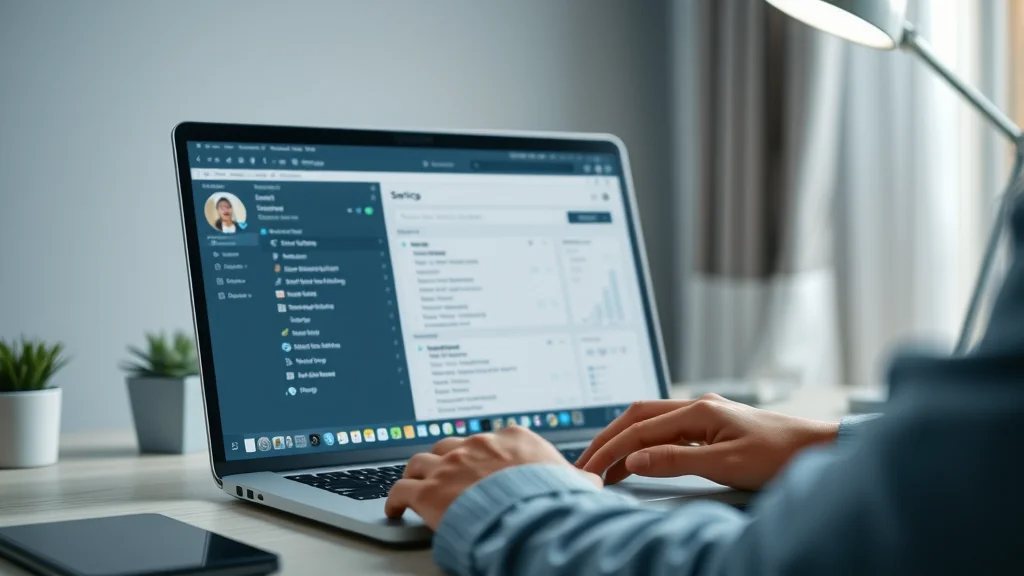
How a Site Lacks Clear Direction for the Ideal Client
A site lacks clear direction when it assumes visitors will figure things out on their own. This leads to friction—unanswered questions, navigation dead ends, and uncertainty about what to do next. For every site visitor who gets confused, multiple competitors remain just a click away in search engine results. The most successful websites structure content around the ideal client by making every next step obvious and accessible, from the first hero section to the final call-to-action. Without this clarity, even a great offer is easily overlooked, and your ideal client will seek out another business that guides them better.
Lost Opportunities: When Website Visitors Leave
Every bounce—when a visitor leaves your site without acting—is a lost chance for growth. Most site visitors aren’t lost customers—they’re missed opportunities. When visitors don’t find what they need or reach a dead end, it’s not because they don’t want what you offer. More often, your site hasn’t made it easy enough for people to take action or see your unique value. Tracking bounce rate and reviewing analytics can help identify these gaps, showing you exactly where the conversion problems exist. A good thing to remember: fixing these pain points turns lost opportunities into real leads over time.
Poor User Experience as a Hidden Barrier
User experience is commonly misunderstood as being only about looks or navigation. In reality, it’s how the site feels, how easy it is to use, and how clearly it communicates at every stage. Poor user experience hides in cluttered layouts, buried calls-to-action, and inconsistent messaging. If a business owner invests in web design that doesn’t consider how people naturally scroll or browse, the result is subtle but serious friction that kills conversions. Updating a website to remove unnecessary clicks, prioritize concise headlines, and speed up loading times are all ways to improve the hidden factors that influence whether visitors decide to stay and act.
“Most site visitors aren’t lost customers—they’re missed opportunities.”
Why Beautiful Websites Don’t Convert Without Purpose
It’s tempting to focus on aesthetics—the logo, colors, and elegant images that make a site look great. Sadly, beautiful websites alone rarely convert unless there’s purpose and logical flow behind the design. Form must serve function, and if a user can’t figure out what to do next, the prettiest site in your industry may still lose business to a simpler, clearer competitor. Every web design decision should serve the goal of guiding visitors toward action, whether that’s calling, booking, or joining your email list. A beautiful website that ignores structure is doomed to underperform.
The Limits of Aesthetics in Website Conversion
While a visually appealing website helps build trust, its impact is limited if the visitor can’t find information or understand the offer. Beauty without clarity leads to confusion, not action. A conversion-focused site puts the needs of the ideal client first. It features headlines that answer real questions, layouts that create flow, and buttons that stand out. If a website design project focuses only on visual trends and ignores structural clarity, it does little for your bottom line. Small businesses must always balance aesthetics with a commitment to easy browsing, fast loading, and prominent calls-to-action.

Balancing Visual Web Design with Simple Structure
The most effective websites combine strong visual branding with an intelligent, streamlined structure. A simple layout that guides the eye, clear hero sections with concise value propositions, and easy-to-spot calls-to-action all help build trust and make visitors comfortable. Too many pages and complicated menus force visitors into unnecessary decisions and often make the site lack purpose. Focusing on a clear, mobile-friendly experience ensures that whether people arrive from search engines or social media, they’ll know exactly what you do and how to connect with you in one fast, intuitive scroll.
How Sites Ignore Browsing Behavior and Lose Site Visitors
Many small business websites are built without considering real user behavior: most people scroll, compare, and act based on clarity—not deep reading. If your web design assumes long, detailed exploration or multiple page-clicks, it breaks the natural browsing flow. Businesses that ignore this reality lose visitors, as people are quick to move on if the page feels like a chore. The key is matching your site structure to what your audience expects: a smooth scroll, logical sections, and an always-visible next step for taking action. This helps your site rise above the digital noise and convert more of the right customers.
Lead Generation Web Design Principles for Why Websites Don’t Convert
Great web design is rooted in psychology and user behavior. Lead generation sites succeed by creating frictionless experiences that help the ideal client solve their problem and act quickly. The core principles are universal: one-page structure, mobile-first focus, clear messaging, and visible, persuasive calls-to-action. These aren’t just buzzwords—they’re tested strategies that bridge the gap between visits and real inquiries, whether your business is a local shop, a home service, or a medical office.
One-Page Structures: Solving for Conversion
One-page websites have become the gold standard for conversion-focused design. Why? Because reducing page clicks means keeping attention where it counts—on your offer and the actions you want people to take. Instead of asking users to navigate through menus and subpages (where they often hit a dead end), a one-page site presents a logical flow: from headline and value, to offers, proof, and a final call-to-action. This approach matches how people naturally browse—scrolling—and makes it easy to compare, decide, and act in a matter of seconds. For many small businesses, switching to a single, well-structured scrolling site leads to immediate improvements in bounce rate, visitor engagement, and lead generation results.

Mobile-First User Experience for Maximum Conversion
Mobile-first design isn’t optional. More than half of website visitors now come from phones, and for many industries, that number is even higher. Prioritizing mobile speed, easy tapping, and thumb-friendly navigation removes friction from the customer journey. A website that feels as smooth on a phone as it does on a desktop keeps users engaged—helping people act, not just read. Review your mobile site for visible calls-to-action, fast loading, and simple forms. Optimizing for phones means no more pinching, zooming, or hunting for contact details, resulting in much higher website conversion rates and happier potential customers.
Clear Content and Calls-to-Action Guide the Ideal Client
Clarity is power. The most effective way to convert site visitors is to make your value obvious and your next step visible. Every section should reinforce your unique offer and move the ideal client toward a goal—be it making contact, joining the email list, or booking a service. Calls-to-action (CTAs) must stand out and appear throughout the page, leaving no doubt what the visitor should do next. If someone lands on your site and has to think hard about what you offer or how to act, they’ll likely leave. Simple, concise language paired with standout buttons ensures conversion isn’t left to chance but becomes the intentional result of effective web design.
How Small Businesses Compete for Website Conversion
In today’s crowded digital market, even a great business won’t shine unless its website makes the offer unmistakable. Customers compare options rapidly, often skimming several sites before deciding who to call or email. The winner isn’t just the best service, but the business that makes sense the fastest. That’s why clarity, simple structure, and strong CTAs are more valuable than flashy designs or clever taglines; they help visitors take action without hesitation, reducing friction and making every click count.
Why Customers Choose Based on Clarity
The modern consumer is busy. Instead of carefully weighing every business in search results, customers often select the first company that explains itself clearly and makes it easy to get started. This means clear headlines, value-driven content, and contact information are more important than lengthy stories or technical jargon. When given too much to read, people bounce; when shown a simple solution and a clear next step, they convert. Small businesses can win by being the most understandable option, not necessarily the fanciest site in the list.
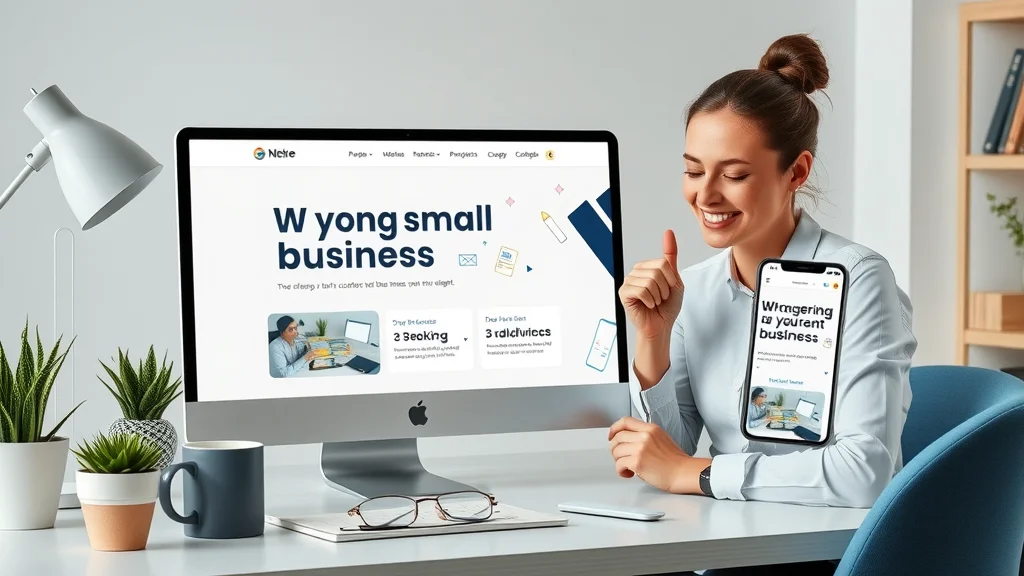
Comparing Offer Presentation, Not Just Service
The race for leads online isn’t always about who’s the best, but who’s easiest to choose. “The first business to make sense to a customer is often the first to get the lead. ” People don’t research every business in depth—they bounce from site to site until an offer stands out and the process to respond is obvious. Presenting your offer simply and making your contact methods visible beats clever-but-confusing websites every time. In digital marketing, clarity outperforms complexity, turning casual searchers into ready customers with less effort than you might expect.
Converting Website Traffic into Leads: The Reality
Many business owners overlook a key truth: website traffic itself does not generate results. The difference between a busy website and a successful one is the ability to guide users toward the outcome you want. A conversion-driven site answers core questions, overcomes hesitations, and directs the user to act—all while reducing distractions and dead ends. Smart design choices are the bridge between attention and action, making your marketing budget work harder for every visitor your site attracts.
Why Website Conversion Fails Without Guiding Behavior
Sites that feel like digital brochures or info dumps rarely convert. That’s because providing information is not enough; you must guide behavior. Calls-to-action, directional headlines, and logical section order reduce the gap between traffic and results. When a website lacks flow or offers too many choices at once, it actually increases confusion and bounce rate. Each design, from hero section to final button, must usher users along a pathway leading them to act, whether that’s sending an email, joining a list, or requesting a quote.
The Role of Design Decisions in Turning Website Visitors into Customers
Every part of your site’s design has an impact on conversion rate. Choices like where to place forms, how large to make buttons, and whether to show testimonials or FAQs affect whether someone decides to contact you or click away. Small businesses must approach web design as a tool for persuasion, not just decoration. Test changes by reviewing analytics, conducting a website audit, and seeing which formats your real ideal client responds to best—to refine the process over time and increase your leads gradually but steadily.
| Feature | Helps Conversion | Hinders Conversion |
|---|---|---|
| One-Page Structure | Guides visitors smoothly; reduces dead ends and friction | Multi-page sites often confuse or overwhelm users |
| Clear Calls-to-Action | Makes next step obvious; increases meaningful actions | Burying CTAs leads to missed opportunities |
| Mobile Optimization | Keeps visitors engaged on all devices | Non-optimized sites frustrate mobile users |
| Fast Load Times | Reduces bounce and keeps attention | Slow sites increase abandonment |
| Complex Navigation | Clear navigation boosts conversions | Confusing menus and extra clicks hurt conversion rate |
Focus on Visibility and Decision-Making for Website Conversion
Visibility is more than just being found in search engines. True visibility is about instant understanding: can people trust you, see your offer, and know how to act in seconds? If your website structure builds trust and simplifies choices, visitors become leads. If it breeds hesitation or doubt, they move on. Every detail, from headline to call-to-action, affects this outcome. Conversion success comes down to making decisions easy—each small improvement in clarity translates directly to better results.
How Clarity Builds Trust in Website Visitors
Trust begins before a visitor reads your bio or checks your reviews. The fastest way to build trust is to communicate clearly—who you are, what you do, and what happens next. A confusing site risks losing the right customers; a clear site opens the door to lasting business relationships. When your design and messaging feel transparent, people act: they sign up, make calls, or join your email list with confidence.
Why Confusion Lowers Website Conversion
Confusion kills conversions because no one wants to risk time or money on uncertainty. If a website presents jargon, conflicting messages, or hard-to-find buttons, it raises red flags and bounce rate soars. Remember, the competition is a click away: customers simply return to the search results or try another local business. The clearer your value and navigational path, the more likely you are to gain trust, drive action, and become the first choice for your ideal client.
Turning First Impressions into Actions
First impressions set the tone for the entire customer relationship. When visitors immediately see what you do, how you solve their problem, and exactly how they can act, trust and action follow. Small businesses that turn strong initial impressions into simple steps—like “Book Now,” “Call Today,” or “Join Our Email List”—see higher engagement and better online results.
Lists of Website Conversion Best Practices for the Ideal Client
- Always use clear, simple language: Avoid jargon, make every word count, and explain your unique value in easy terms.
- Reduce clicks and avoid dead ends: Structure content for smooth scrolling; never force unnecessary steps or multiple menu choices.
- Make calls-to-action visible throughout: Repeat your main CTA (“Contact,” “Book,” “Call”) at key points, not just at the end.
- Prioritize mobile user experience and speed: Test your site on phones regularly to ensure forms, buttons, and navigation are effortless.
- Ensure your value is obvious in seconds: Headline, subheadline, and opening section must answer why you’re different and worth choosing.
Key Takeaways: Why Websites Don’t Convert and Steps to Improve
- Small businesses compete by clarity, not noise
- Simplicity and structure drive conversions
- Understanding visitor behavior informs better web design
- Consistent improvements build trust and results
People Also Ask: Why Websites Don’t Convert
Why is my website not converting?
Many small business sites aren’t converting because they’re unclear, difficult to navigate, or don’t match how visitors actually browse. Visitors need to see what you do and how they can take action—within seconds.
Why don't beautiful websites convert?
Attractive design alone won’t convert visitors. A site must guide visitors clearly and make it easy to act. If a beautiful site is confusing, slow, or cluttered, customers will leave.
How to make your website convert?
Prioritize a one-page structure, clear messaging, fast loading, and visible calls-to-action. Reduce friction by removing unnecessary clicks and making the next step obvious.
Why am I getting clicks but no conversions?
Traffic without conversion usually means visitors aren’t finding what they expect, or the site does not clearly guide them to act. Analyze your message, structure, and calls-to-action for gaps.
Frequently Asked Questions on Why Websites Don’t Convert
What is the ideal conversion-focused website structure?
The ideal structure is a clear, scroll-friendly one-page site with concise hero section messaging, logical content order, and repeated calls-to-action. This format reduces friction and matches real browsing behavior, guiding the ideal client smoothly to the action you want them to take.
How important is mobile user experience for website conversion?
Mobile user experience is essential—most visitors are on phones. A site that works seamlessly on mobile, with fast load times and tap-friendly navigation, keeps users engaged and dramatically increases the likelihood of conversion.
What causes website visitors to leave without converting?
Visitors leave when they face confusing messages, dead ends, too many choices, slow pages, or unclear value. Solving these issues with better design, structure, and clear direction will keep users engaged and boost conversions.
How can small businesses test why their websites don’t convert?
Start with a website audit: review your analytics to see where users drop off, test user experience on different devices, ask for feedback, and adjust key sections like headlines and calls-to-action. Small tweaks often have a big effect on results.
Grounded Insights: The Ongoing Work of Website Conversion
Why Visibility, Clarity, and Consistency Matter
“Businesses that are easiest to understand are usually the first to be chosen.”
Visibility isn’t just a ranking in search engines; it’s the ability for an ideal client to quickly understand what you offer. Clarity builds trust, and consistency in your web design and messaging keeps your business top-of-mind as users compare across the internet.
Small Steps: Improving Why Websites Don’t Convert Over Time
Improving your website’s conversion rate doesn’t happen overnight. Consistent updates to clarity, structure, and simplicity build real results. Many businesses find that small, focused changes—like rewriting a hero section or streamlining navigation—lead to higher engagement and more leads over time. If in doubt, review your visitors’ behavior, make improvements based on real feedback, and keep testing until you see the lead flow match your expectations.
Explore How Lead Generation Websites Work for Small Businesses
Discover lead generation website systems and how they drive more conversions for real businesses. Learn more here: https://localauthoritycontentsystem.com/lead-generation-website-system
If you’re ready to take your website’s performance to the next level, consider how a broader content strategy can amplify your authority and visibility online. By leveraging proven frameworks like the Local Authority Content System™, you can build a reputation that not only attracts more visitors but also positions your business as the go-to choice in your market. For a deeper dive into strategic publishing and long-term growth, explore the insights and methods outlined in Local Authority Content System™ Insights & Strategy. This resource offers advanced guidance for small businesses aiming to stand out, earn trust, and convert more leads through smarter content and web design.




Write A Comment