


Imagine landing on a company’s website for the first time. Within seconds, you’re already deciding whether to stay, scroll, or move on to a competitor. What you see—and how it’s presented—can make all the difference between simply browsing and becoming a customer. In today’s digital world, understanding how to build trust on a website is one of the most important skills for small businesses seeking real growth and customer conversions.
Understanding How to Build Trust on a Website
- Observing real visitor behavior: scanning, scrolling, and comparing

- The importance of first impressions for website visitors and site visitors
- Why most website visitors decide in seconds
Most site visitors judge a website within the first few seconds. They don’t read every sentence or carefully navigate through dozens of pages. Instead, visitors scan quickly, scroll to key points, and immediately compare what they see with other options in their search. This swift behavior is universal—retail customers, local services users, and even medical patients all form opinions about trustworthiness at a glance. That’s why focusing on the habits of the average website visitor is crucial.
First impressions set the stage for building trust. An unclear or cluttered homepage often causes users to leave without ever understanding what’s offered. Visitors are looking for visual clarity, a direct value statement, and friction-free access to information. It’s vital that your web design doesn’t force them to click through multiple menus or decode complex layouts. Instead, a clear and modern website matches how people really browse: by scrolling, scanning, and judging quickly.
Understanding how users interact with your site is only the beginning. For a deeper dive into optimizing your website’s structure and content for local authority and trust, explore the Structured Local Authority Publishing approach, which offers actionable strategies to further enhance credibility and engagement.
What You'll Learn About How to Build Trust on a Website
- Key principles for building trust online
- How web design and user experience impact conversions

- How to make your website stand out to site visitors
- Why clarity and simplicity matter for website visitors
- How to move customers from site visitors to conversions
In this comprehensive guide, you’ll learn the essential steps for building trust online—no matter what business you run. We’ll break down actionable strategies for improving your website design, optimizing user experience, and helping every website visitor move smoothly from browsing your content to becoming a loyal customer. You’ll discover what top-performing websites have in common: simplicity, clear communication, mobile optimization, and trust-building features like reviews and strong calls to action.
Clarity is not just beneficial—it’s necessary. Today’s users want a simple structure and instant understanding. We’ll show how cutting through confusion and modernizing your site structure can make your business stand out, turning passive site visitors into leads and ultimately, customers.
Why Building Trust Is Essential for Website Visitors
- How trust influences website visitor decisions
- Why small businesses must build trust quickly online

- The role of reputation, reviews, and testimonials
"Trust is earned in seconds and lost in an instant."
Building trust has become the single biggest factor influencing website visitors’ decisions. With more businesses only a search away, most people don’t stick around to analyze every feature—they follow the path of least resistance and the first site that feels trustworthy enough. For small businesses, earning trust quickly online can mean the difference between generating a valuable lead and losing the opportunity to a rival. This trust is built not just through service reputation, but by what a visitor sees and feels during their very first seconds on your site.
Trust signals—like customer reviews, professional web design, clear displays of contact info, and easy navigation—create the confidence potential customers need to take action. People are naturally wary of unclear offers or complex navigation. Featuring reviews and testimonials throughout key pages adds social proof, builds credibility, and helps site visitors move from consideration to action. Your website’s visible structure and the experiences of past customers, not just what you claim, are powerful drivers of trust.
Core Principles for How to Build Trust on a Website
One-Page Web Design: Reducing Friction and Guiding Visitors
- Why less navigation builds trust with website visitors
- How user experience improves with simple structures
One of the most effective ways to build trust on a website is by adopting a one-page design. Complex, multi-page websites often overwhelm visitors and introduce friction. The more clicks required to find information, the more likely users are to leave. By contrast, a single, scrollable page allows people to move naturally through your content. This matches modern browsing habits—especially on mobile devices—where scrolling is instinctive.
Reducing navigation keeps visitors focused, reduces bounce rates, and guides them toward your conversion goals. A simple structure also improves user experience: key information, calls-to-action (CTAs), and trust signals remain constantly visible, making it easy for website visitors to understand what to do next. By anticipating your customers’ natural browsing behaviors, you make your site more approachable and build credibility from the start.
Clear Messaging: What Businesses Do, at a Glance

- Communicating value and services immediately to site visitors
- Practical messaging examples
Visitors should never have to guess what your business does. A clear, direct value statement at the top of your homepage is critical for building trust. For example, instead of general taglines, state “Expert Residential Plumbing—Same-Day Service” or “Local Bakery—Fresh Pastries Daily. ” This clarity helps your target audience recognize your services within seconds.
Keep your main message concise, and reinforce it with supporting points as users scroll. Highlight key benefits, unique selling points, and contact information where visitors can easily find them. The easier it is for users to understand your offer, the more likely they’ll stay, trust, and move further along the customer journey.
Strong Calls to Action: Helping Visitors Take the Next Step
- Best practices for CTAs in web design
- CTAs that convert website visitors into customers
A strong call to action (CTA) is vital for converting site visitors into leads or customers. Every key page should make it easy to call, book, request a quote, or submit an inquiry. Use verbs with clear intent, like “Book Now,” “Call for a Free Consultation,” or “Schedule a Visit. ” CTAs should stand out visually and be repeated in logical, prominent spots throughout the page.
To earn trust, CTAs should feel helpful rather than pushy. Guide visitors step-by-step—clarifying what happens next and assuring them of easy follow-through. When users know exactly how to proceed, your conversion rate improves, and uncertainty drops.
Mobile-First Design: Why Most Website Visitors Browse on Smartphones
- Structuring content for scrolling, not clicking
- How mobile user experience affects trust and conversions
Over half of all browsing now happens on mobile devices. That’s why mobile-first design is not optional—it’s a necessity for building trust with your audience. A mobile-optimized website presents content in a single column, sized for thumbs and fingers, and prioritizes scrolling over clicking. This alignment with natural browsing habits helps visitors absorb information efficiently.
If your site isn’t responsive or forces too many taps, users may abandon it for a competitor’s streamlined experience. Mobile-first design not only increases trust but also ensures your business remains visible and actionable across all devices, supporting stronger conversion rates.
How to Build Trust on a Website: Practical Elements
Page Speed and Trust: Keeping Visitors Engaged
- How slow load times decrease trust for website visitors

- Improving lead flow with faster sites
Slow-loading websites erode trust instantly. Even if your content and web design are exceptional, delays cause visitors to question site security and professionalism. The average user expects pages to load quickly—on mobile and desktop—otherwise, they’ll move on to another business. Fast websites signal reliability, encourage longer visits, and support a smooth customer journey from initial interest to conversion.
Improving page speed isn’t just about technical optimization—it’s about retaining attention and confidence. When your site responds promptly, more visitors will reach your contact information, review sections, and key calls to action, resulting in improved lead flow. Always test your site’s load time and seek out speed-enhancing fixes, such as image compression and streamlined code.
Clarity over Complexity: Simplifying Web Design
- Making your message impossible to miss
- Reducing confusion with clear content structure
A cluttered or complicated website confuses most visitors, especially when using mobile devices. Simplicity means more than just minimal design—it’s about clear visual hierarchy, focused messaging, and logical order. Each section of your homepage should flow into the next, making it impossible to miss your main offer.
A simple website structure reduces cognitive load and helps visitors quickly find what they need. Bulleted lists, clean fonts, and high-contrast elements make key points stand out. Avoid jargon and unnecessary features; the more effortlessly users move through your content, the more likely they are to trust your business and take action.
Customer Reviews and Case Studies: Earning Trust Through Results

- Where to display reviews and testimonials
- Using case studies to show real outcomes
"Case studies and user testimonials help website visitors become confident customers."
Prominently featuring customer reviews and case studies builds trust with skeptical visitors. Place reviews above the scroll and next to your contact forms or booking buttons to catch attention early. Case studies sharing real customer outcomes—before-and-after stories, measurable improvements, and client quotes—boost credibility and make your value real in the visitor’s mind.
These forms of social proof serve to reassure new visitors and answer unspoken questions about your quality and reliability. The more authentic and visible your testimonials and case studies, the greater your ability to earn trust and improve conversion rates.
Website Visitor Behavior: Scrolling, Scanning, and Making Decisions
- Why users avoid complex navigation
- Understanding the 8-second attention span
- How to present key selling points above the scroll
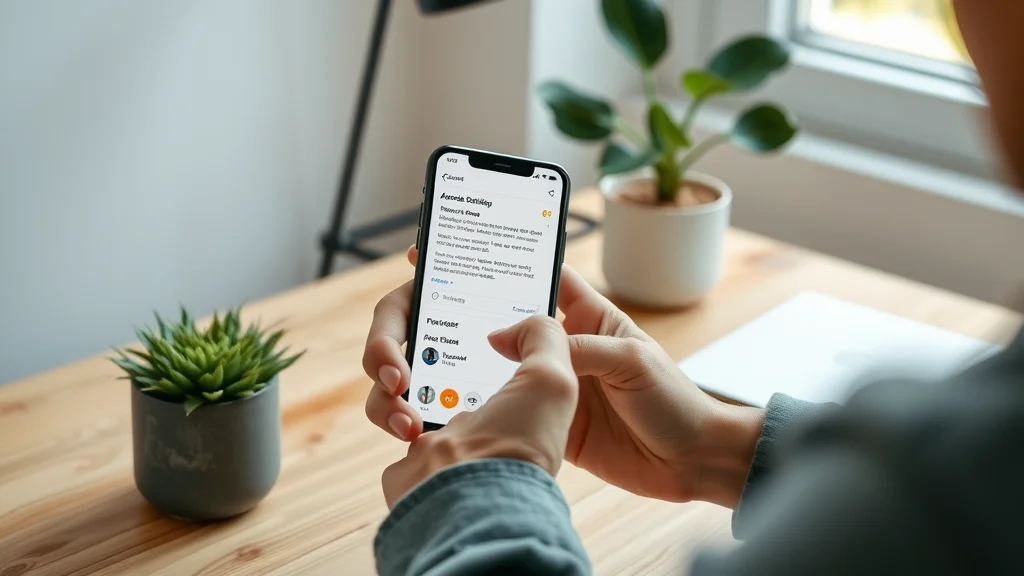
Most website visitors have an attention span of just a few seconds—around eight, in fact. They avoid deep reading or involved navigation, preferring to scan pages for immediate answers and value. If your site asks for too many clicks or presents a confusing menu structure, users simply abandon ship.
To make your site as user-friendly as possible, place key selling points and CTAs above the scroll. Communicate your unique promise and core benefits briefly yet clearly. By focusing on scan-friendly design and content hierarchy, you ensure visitors see the most important information before deciding whether to stay or leave.
The Psychology of Building Trust with Website Visitors
How First Impressions Form Online

- Visual design and message clarity in the first moments
First impressions are shaped by everything from color and layout to the speed and clarity of your content. Clean, modern visuals paired with immediate messaging help visitors connect emotionally and intellectually with your business. A professional-looking site signals care and competence, making it easier for people to trust you right away.
The earliest seconds are crucial; any sign of confusion or visual clutter can cause visitors to leave instantly, while well-designed sites invite exploration and action. Make sure your website’s first look earns trust and encourages users to stay.
Earning Trust vs. Losing Visitors: Key Factors
- Why confusion leads to lost opportunities
- Clarity and direction mean more conversions
If a visitor doesn’t understand what your company does or how to take the next step, trust disappears and so do potential leads. Confusion is the silent killer of online conversions. Conversely, clarity about your service, process, and contact options keeps visitors engaged and moving forward.
Focus every aspect of your web design on offering direction and eliminating ambiguity. Clear labels, intuitive navigation (or an easy single-page flow), and direct value statements are essential. The easier you make it for users to understand and act, the more website visitors you convert into happy customers.
Competing for Attention: How to Build Trust on a Website Faster Than Your Rivals
- How customers quickly compare site visitors side-by-side
- Standing out with clear web design and messaging
- Turning traffic into leads, not just visits
Every business on a search engine results page is just a click away from its competitors. Customers browse, compare, and choose based on what they see in those first moments. Visitors often contact the first business that makes sense to them, not necessarily the “best” or cheapest option. Your website’s job is to make your offer clearer and easier to act on than anyone else’s.
Focusing on clear messaging, streamlined design, and visible contact info can help your business stand out from the crowd. Traffic alone is worthless unless you guide visitor behavior toward taking action. True competition online isn’t just about being seen—it’s about being understood, trusted, and easy to engage with.
Case Study: Building Trust and Generating Leads With Improved Structure
- Before and after web design changes
- Real examples of improved visitor conversions
"Simplicity led to more inquiries and happier customers."
A local service company once operated a multi-page site brimming with content but lacking focus. Visitors landed on the homepage, struggled to understand services, and often left without contacting the business. By shifting to a single-page layout with prominent CTAs, concise value statements, and sections for customer reviews and case studies, lead flow increased noticeably.
After the redesign, more site visitors completed inquiry forms and made calls because they no longer felt lost or confused. This simple restructuring turned passive traffic into meaningful customer conversions—even without increasing website traffic. Directness and ease-of-use proved more powerful than fancy features.
Lists: Top Features That Build Trust on a Website
- Clear value statements
- Simple, one-page design
- Visible contact information
- Strong reviews and testimonials
- Fast loading times
- Consistent branding and easy navigation
Tables: Comparing Web Design Features that Impact Trust
| Feature | Impact on Trust | Effect on Conversion |
|---|---|---|
| Clear Messaging | High | Major Improvement |
| One-Page Design | High | Reduced Friction |
| Strong CTA | High | More Leads |
| Mobile-Friendly | High | Improved Experience |
| Page Speed | Medium | Lower Bounce Rate |
| Customer Reviews | High | Increased Confidence |
| Complex Navigation | Low | Leads to Dropoff |
| Hidden Contact Info | Low | Reduces Trust |
- Showcase of trustworthy website visitor experiences
- Visual walkthrough comparing two approaches to web design
FAQs on Building Trust with Website Visitors
How to build trust on your website?
- Provide a clear, simple structure, use strong reviews and testimonials, present a direct value statement, and ensure easy navigation for website visitors.
What are the 5 C's of trust?
- Clarity, Consistency, Competence, Connection, and Compassion all play roles when building trust online.
What are the 7 C's of a website?
- Content, Context, Community, Customization, Communication, Connection, and Commerce are essential for a website visitor’s trust and user experience.
What are the 3 C's of trust?
- Credibility, Consistency, and Clarity help earn trust from website visitors.
Key Takeaways: How to Build Trust on a Website
- First impressions matter most for website visitors
- Simple web design earns trust and improves conversions
- Strong reviews, fast loading, and mobile-friendly design support visitor confidence
- Clear calls-to-action help turn site visitors into leads
Final Thoughts on How to Build Trust on a Website for Small Businesses
- Building trust online requires ongoing effort and clarity
- Consistent improvements bring real, long-term results for all business types
- Small structural changes can lead to higher customer conversions
Ready to see how a lead-focused site can improve your customer results? See how lead generation websites work and guide visitors from trust to conversion.
How Lead Generation Websites Work: Guiding Visitors from Trust to Conversion
- See how an optimized, lead-focused site can improve your results: Learn more here
If you’re looking to take your website’s trust-building and conversion strategies to the next level, consider exploring the broader framework behind successful local authority content. The Local Authority Content System™ Insights & Strategy offers a comprehensive perspective on structured publishing, reputation management, and long-term digital growth. By integrating these advanced insights, you can position your business as a trusted leader in your market and unlock new opportunities for sustainable customer engagement.




Write A Comment