


Imagine landing on a business website for the first time. Within seconds, you’ll decide whether to trust what you see or move along—often without reading everything. This split-second impression isn’t just a gut feeling; it’s a real reflection of how people behave online today. In this guide, you'll learn why a website call to action is the hidden driver behind lead generation, shaping what customers do, and helping small businesses thrive in a crowded digital space.
Understanding the Power of a Website Call to Action
First impressions on a website are formed in just a few seconds—clarity and simplicity matter most for calls to action.

Why Website Calls to Action Matter for Lead Generation
For most small businesses, the website call to action is the bridge between attracting visitors and actually gaining new leads. Customers behave quickly when browsing: research shows their attention span averages about eight seconds. If your calls to action aren’t immediately clear, you risk losing the visitor before they’ve even understood your message. The ability to guide someone from landing on your site to booking an appointment or making a purchase depends on how well your website communicates that next step. In today's competitive market, a direct cta—like a “Call Now” button or a “Get a Free Quote” prompt—must be obvious and inviting right away. Businesses lose leads not because of their quality or reputation, but often because their sites aren’t designed for the way people actually behave online.
Site visitors don’t linger long nor do they read word-for-word. Instead, they scan, compare options, and act based on what feels easiest and most trustworthy. This habit of rapid judgment favors businesses whose websites showcase clear, actionable paths forward—usually with a prominent cta button or simple form. A great call to action not only attracts attention, but also makes it painless for potential customers to take advantage of your services whether it’s through filling out a contact form, signing up for an email list, or starting a free trial. If your site leaves visitors confused or hunting for next steps, you’re likely missing out on valuable conversions with every bounce.
For businesses looking to further refine their approach, integrating structured content strategies can amplify the effectiveness of your calls to action. Discover how a systematic publishing framework can support your lead generation goals by visiting the Structured Local Authority Publishing guide, which offers actionable insights on organizing content for maximum impact.
The Average Visitor’s Behavior on a Website
- Most visitors decide what to do quickly
- Visitors scroll rather than click
- Attention span averages about 8 seconds
- First impressions impact trust and conversion
Understanding how a typical site visitor interacts with your web page is crucial for crafting effective calls to action. Studies and real-world observations reveal that most customers make initial judgments with surprising speed—often within the first few seconds of arriving. This rapid assessment isn’t just about visuals; it’s also a test of message clarity and perceived credibility. Instead of clicking through multiple pages, users prefer scrolling to see what’s available, quickly scanning headlines, buttons, and any visible action examples. Multiple cta options shouldn’t clutter the screen, but should instead funnel visitors toward the most desired action, be it starting a purchase or making an inquiry.
With an attention span of roughly 8 seconds, site visitors won’t wait for slow-loading graphics or puzzle through complicated navigation to take the next step. First impressions shape both initial trust and the willingness to engage—if your website’s offer isn’t clear and the cta button doesn’t stand out, most people will compare rapidly and choose a competitor whose site feels simpler or more inviting. Keeping the number of clicks to a minimum, reducing distractions, and making next steps obvious all contribute to a higher conversion rate and better lead flow for any local business.
What You'll Learn About Website Calls to Action
- How calls to action shape website behavior
- Strategies for improving your lead flow
- Why clarity drives customer choices
This guide explains how website calls to action fundamentally influence shopping and inquiry behaviors, offers actionable strategies to boost your site’s lead generation, and reveals why clear structure leads customers to choose your business over others. Whether you run a retail store, restaurant, professional practice, or home service, mastering calls to action allows you to convert more web traffic into paying customers.
What Is a Website Call to Action?
A website call to action is any interactive prompt on your website that encourages visitors to take a specific, desired action. This could be booking an appointment, requesting information, purchasing a product, or subscribing to a newsletter. CTAs can appear as buttons, banners, popups, or clickable links, but they all serve one core purpose: to guide the user to take the next step in their customer journey. For small businesses, an effective call to action is simple, direct, and instantly understandable, helping bridge the gap between browsing and becoming a customer. Without a clear CTA, you risk leaving site visitors unsure about how to proceed—which directly affects your conversion rates and overall business growth.
Defining the Website Call to Action for Small Businesses
In the context of small businesses, a website call to action isn’t just a marketing buzzword—it’s your digital handshake and the gateway to ongoing customer relationships. Embedding CTAs like “Call Now” or “Get a Free Quote” ensures that visitors know exactly how to reach you or start their purchase right from the moment they feel interested. Because competition online is fierce, clarity is key. A well-placed, compelling CTA button increases both the likelihood that a user will take action and your chance of turning a brief interaction into a loyal customer. Whether your primary goal is growing your email list, booking more appointments, or simply driving traffic to a new product, the right CTA helps convert that intent into real business results.
Small business owners should always view their website not just as an information hub, but as a tool that gently nudges visitors towards taking action. The most effective CTAs are designed to align with the primary goals of your site and your audience’s needs—the simpler your message and pathway, the higher your chances of converting interest into meaningful leads.
The Role of Action Examples in Driving Website Conversions
- Booking appointments
- Requesting information
- Purchasing products or services online
- Signing up for email newsletters
Concrete action examples are essential for effective conversion. For instance, if you run a medical practice, a direct “Book an Appointment” CTA button placed at the top of your landing page removes guesswork and gets patients into your booking flow faster. Retailers benefit from prominent “Shop Now” or “Add to Cart” buttons that appeal to visitors ready to make purchases. Offering a free trial or inviting site visitors to sign up for timely blog posts or email marketing updates can greatly expand your reach and build ongoing relationships. The key is removing obstacles and focusing on clear, actionable language—so users always know what will happen when they click.
Types of CTA: Primary vs. Secondary Actions
- Call now button
- Get a free quote
- Download guide
Calls to action can be classified as primary or secondary, each with a distinct role. The primary CTA highlights your website’s main goal: this could be a “Contact Us Today” button for a legal practice or a “Reserve Your Table” prompt for a restaurant. Secondary CTAs might include options like “Download Our Guide” or “Join Our Email List”, offering alternative ways to engage those not yet ready to make a full commitment. Balancing these types keeps your site flexible and increases chances that visitors will find something that moves them closer to conversion. However, every CTA should have a clear purpose and visible placement—too many options can be just as confusing as none at all.
How Website Call to Action Placement Influences Customer Behavior
Above-the-Fold vs. Below-the-Fold Action Examples
Where you place your CTAs makes a real difference in how customers engage. “Above the fold” refers to the portion of the website immediately visible without scrolling. Placing your main CTA here increases its visibility, ensuring visitors see how to contact you or make a purchase without extra effort. “Below the fold” CTAs can reinforce your message further down as users scroll, capturing those who want more information before acting. Successful landing pages often use both placements—an immediate, bold primary cta button grabs quick-decision customers, while a second action example below supports visitors who need more time or detail.
It’s important to avoid overwhelming users with too many options, but providing actions at multiple stages allows you to reach different decision-makers in their own time. This structure caters to the reality that site visitors rarely move in a straight line—most scroll, review, then decide when they’re ready. Keeping your main CTA visible (using strategic color, size, and placement) helps you catch more leads as attention shifts during their journey.
Why Mobile-Optimized CTA Button Design Is Essential

With mobile devices accounting for the majority of site traffic today, optimizing your call to action buttons for smaller screens is essential. Mobile-first design means that CTA buttons must be large enough to tap accurately, clearly labeled, and not buried under unnecessary content or distractions. If visitors need to pinch, zoom, or hunt for your CTA on a phone or tablet, chances are they’ll lose patience and leave. Clear mobile cta button design directly increases conversions—making it painless for users to call, book, or request services on the go.
Consider common user behavior: people browsing websites from their phones expect a seamless, frictionless experience. Quick-loading landing pages, visible CTA options, and thumb-friendly layouts are now the standard. By emphasizing bold colors and concise text, and by placing your main action examples at strategic points, you make it easy for every potential customer to complete your desired action without frustration.
Reducing Friction: One-Page Websites and Simple Navigation
- Users scroll instead of clicking
- Minimize distractions and extra steps
Modern website behavior centers around effortless scrolling. One-page websites reduce friction by keeping all essential information—and calls to action—in front of the user as they move down the page. Every click you eliminate boosts the odds that someone will convert; clicking often disrupts the user experience and causes second thoughts. By minimizing menus, tabs, and pop-ups, and focusing on a single, simple message, businesses create a clear pathway to the end goal. Reducing visual clutter and structuring content with obvious, inviting CTAs at every key point allows more leads to flow through your funnel, regardless of their decision-making style.
Even for more complex ventures, simplifying structure and navigation pays off. Whether selling products, offering services, or booking appointments, making every step easy matters. Customers reward the businesses that respect their time, show them what to do next, and keep the process hassle-free across desktop and mobile devices.
Customer Journey: Mapping Website Calls to Action Across Touchpoints

A well-structured website follows the customer from awareness to action—this is known as the customer journey. Key calls to action should be mapped to each touchpoint, so users always know how to move forward, whether they’ve landed on your homepage, arrived from a social media post, or are following up after reading your blog posts. Aligning website CTAs with user intent and journey stage means you avoid confusion and maximize your chances of turning curiosity into conversion. Businesses that coordinate web and social media messaging create a consistent experience that builds trust and recognition.
Aligning Website Calls to Action With Each Stage of the Customer Journey
The journey a customer takes—discovery, consideration, decision, and retention—should all have tailored calls to action. Early on, softer CTAs such as “Learn More” or “Download Our Guide” can attract users still comparing options. As trust grows and decisions loom, more direct options like “Call Now” or “Book an Appointment” encourage immediate action. Understanding the needs at each stage lets you design a site where every visitor—no matter how ready—sees the right invitation to take action. Continuity across every visit and touchpoint enhances your credibility as a business that understands and values its customers.
Mapping CTAs along the journey also ensures you don’t lose leads due to mismatched messaging. Users should never be left wondering what to do next; each step forward should be visually and contextually obvious, increasing the overall conversion rate without adding pressure or confusion.
User Experience: Making the Next Step Obvious
When website visitors encounter convoluted navigation or unclear directions, they hesitate or leave—no matter how compelling your offer. Prioritizing user experience through visible calls to action ensures every next step is obvious. For example, a landing page that clearly presents a choice between “Book Now” and “Contact Us” eliminates guesswork. The payoff for small businesses comes from minimizing the mental load on the customer: if users have to think too much about the next action, they often choose a competitor who makes it easier. By reducing clicks, clarifying structure, and emphasizing the most important action on every device, you drastically improve your lead flow and customer satisfaction.
Effective ct as are more than just buttons—they’re part of your overall promise to guide, support, and respect the visitor. When your web page makes next steps frictionless, your business stands out for its care and consideration, which translates to more inquiries, bookings, and loyal users.
Social Media and Website CTA Integration
- Direct links from Instagram, Facebook, Google
- Consistency across all web channels
Social media plays a central role in driving website visitors. Linking direct CTAs from Instagram, Facebook, or Google posts—like “Shop Now,” “Book Online,” or “Learn More”—guides customers straight to your main website actions without delay. To build trust and recognition, CTAs should look and feel consistent across digital channels; this unified experience reassures users they’re in the right place and increases their willingness to act. The best lead-generating websites don’t just rely on static landing pages. They design CTAs and supporting content that respond to how people explore, scroll, and click from multiple sources, making every touchpoint a bridge to the next decision.
Consistency and clarity build over time, turning social media followers into website leads. When your messaging, branding, and cta language align, customers are more likely to follow through—across both web and mobile platforms.
Action Examples: Best Website Calls to Action for Small Businesses
| Type of Business | CTA Example | Placement | Desired Outcome |
|---|---|---|---|
| Retail | ‘Shop Now’ Button | Homepage Banner | Purchase |
| Restaurant | ‘Reserve Your Table’ | Above the Fold | Booking |
| Home Services | ‘Get a Free Estimate’ | Prominent Section | Inquiry |
| Medical Provider | ‘Book an Appointment’ | Main Navigation | Lead |
| Professional Services | ‘Contact Us Today’ | Footer and Banner | Contact |
CTA Examples That Move Customers to Act
- Simple call to action button such as “Call Now”
- Contact forms that are easy to access
- Free consultation offers
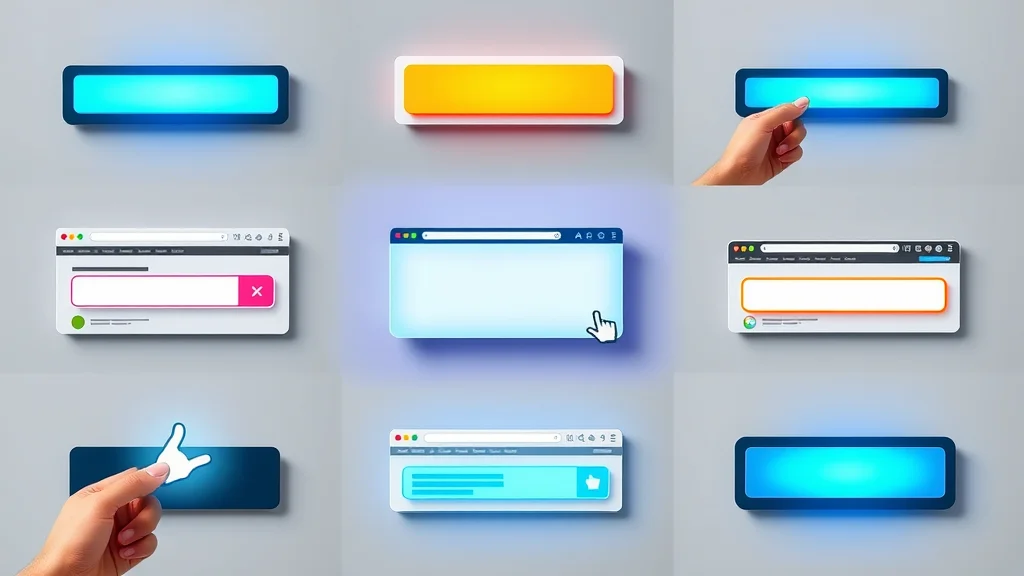
Some of the most effective cta examples for small businesses include straightforward options like a “Call Now” button, a quick-access contact form, or a prominently displayed free consultation offer. The goal is always to reduce guesswork and encourage users to sign up, inquire, or book without hesitation. By focusing on direct, real-world needs and crafting CTAs that feel approachable yet specific, you encourage more visitors to move from browsing to taking action. Great call to action language doesn’t complicate; it clarifies.
Landing pages that feature these types of cta buttons tend to convert at higher rates because they match exactly how today’s mobile-driven, time-sensitive customers make decisions: quickly and with minimal distractions.
Calls to Action That Create a Sense of Urgency Without Pressure
- “Limited spots available” (for bookings)
- “Start Today” (for services)
Creating a gentle sense of urgency can improve action rates—without making site visitors feel rushed or pressured. Phrases such as “Limited spots available” for appointment-based services, or “Start Today” for ongoing offerings, encourage quick decisions while still respecting the user’s comfort. These CTAs inspire action by letting potential customers know opportunities are limited in a friendly, inviting way. A sense of urgency works best when integrated with clear, honest messaging that puts user experience first and avoids exaggerated claims.
Remember, the most compelling calls to action—no matter the business type—are those that present the next step as easy, low-pressure, and risk-free, so more visitors feel comfortable moving forward.
Design Principles for Effective Website Calls to Action

Design is where clarity meets creativity—and nowhere is this more important than for your website's calls to action. A well-designed CTA button draws the eye, feels interactive, and makes the desired action clear. Messaging must be simple: users should know immediately what happens next if they click your button or link. Factors such as color contrast, button size, and the surrounding white space all affect the conversion rate. The fewer obstacles you place between landing on your site and taking action, the better.
Simplicity outperforms complexity; bold, well-placed calls to action outperform subtle or buried ones. When it comes to lead generation web design, every detail—page speed, message structure, and user experience—should work in harmony to guide and encourage users to act.
Clear Messaging and Simplicity
Your website call to action should always use language that’s direct and easy to understand. “Book Now,” “Request Info,” and “Shop Online” are more effective than clever—but vague—slogans. Customers don’t want to guess what happens next. The best action examples make the next step so clear that visitors can move forward without hesitation. Avoid cluttered pages and overly technical descriptions, focusing instead on each CTA having a single, strong purpose. Clarity in messaging reduces confusion, builds trust, and ultimately improves your site’s conversion rates. The simpler your structure, the more effective your calls to action become.
This clarity also extends to design: a button with a clear label, surrounded by open space, stands out more than one lost among dozens of competing elements. Remember, every extra second of uncertainty is a risk that your visitor will go elsewhere.
Page Speed and the User’s Decision Process
Page speed directly impacts the user’s willingness to complete actions on your site. Slow-loading pages lead to high bounce rates and lost opportunities; fast sites create a smooth experience that keeps attention focused on your main CTAs. Conversion rate studies reflect this truth: every additional delay means more lost leads. To keep your cta button effective, ensure that images, scripts, and tracking codes are optimized for a quick load—especially on mobile devices, where patience is shorter.
Most visitors are making decisions in seconds, not minutes. If your site drags or interrupts their flow, you’re giving them reasons to choose a competitor. Businesses who invest in site speed are not just improving their technical performance—they’re directly improving the odds that each visitor will complete a booking, purchase, or inquiry.
Visual Hierarchy: Making Your Call to Action Stand Out

Visual hierarchy refers to how you arrange elements on a web page so users intuitively understand what’s most important. Your CTA button should be the clear focal point—using a highly visible color, larger size, and prominent position on the page. Supporting secondary actions, like “Learn More” or “Download Guide,” should be visibly distinct but not overpower the primary action.
By applying strong contrast, consistent alignment, and deliberate spacing, you draw the user’s eyes directly to the intended conversion path. An effective visual hierarchy reduces thinking time for each site visitor and prevents confusion. Businesses that prioritize this are rewarded with more leads and higher rates of user engagement, regardless of industry or service type.
User Experience: Reducing Clicks to Improve Conversion
Every unnecessary click creates a chance for visitors to lose interest or abandon their journey altogether. That’s why minimizing the number of steps to complete an action is a key web design principle for lead generation. Whether your goal is growing your email list, encouraging blog post shares, or driving direct cta bookings, making the process linear and straightforward is more effective.
A single-scroll landing page or simplified navigation structure ensures more site visitors reach your desired outcome without friction. Businesses should coordinate design and messaging so that actions flow naturally, keeping users oriented and focused on what matters most—the next step toward becoming your customer.
How Website Calls to Action Drive Real Lead Generation Results

The reality for many small business owners is that simply having a website isn’t enough to generate leads. A well-designed website call to action transforms a passive site into a lead-generating engine by guiding visitors from curiosity to contact or purchase. High traffic alone doesn’t ensure new customers; your site needs well-placed, clearly-worded CTAs that nudge visitors along a specific path.
Design decisions—like the placement of an “Add to Cart” button or the prominence of your contact form—have a measurable impact on conversion rates. Many businesses struggle not because there’s a lack of interest, but because their website doesn’t help customers take that crucial next step. By revisiting your website’s structure and lead flow, and prioritizing user-friendly calls to action, you can turn more of your site visitors into customers, clients, or regular patrons.
Website vs. Lead Flow: Turning Visitors into Customers
A common myth is that more website traffic means more sales. However, unless your website effectively guides each visitor through a clear customer journey—complete with obvious calls to action—you’re missing out on real growth. The difference between having a website and having a site that consistently delivers leads comes down to lead flow: every well-placed CTA is a stepping stone in this process.
Small changes—like emphasizing a free trial offer or simplifying a booking process—can make a big difference in your conversion rate. The leading small business websites are those that understand and support how people use the web today, focusing less on flashy graphics and more on helping customers take decisive, confident steps.
Website Traffic Alone Is Not Enough
Getting visitors to your website is only the start. Converting them into customers means making their journey as frictionless as possible. If your site draws in hundreds of people each month but fails to guide, capture, and satisfy them through clear action examples, your investment won’t generate the results your business needs.
Design choices that benefit user experience—like reducing page length, establishing a strong visual hierarchy, and integrating clear, engaging cta buttons—directly increase your conversion rates. In the context of lead generation, guiding user behavior stands at the heart of successful web design, far outweighing the mere accumulation of site traffic numbers.
Design Decisions That Nudge Visitors Toward Action
Every visual and structural choice you make on your website has the power to nudge site visitors toward—or away from—your desired action. This includes everything from the color and language of your CTAs to where forms and buttons appear within the user flow. Even the structure of your landing page, the wording on your action examples, and the presence of a sense of urgency can significantly impact outcomes.
Sites that lead with clarity, keep pathways direct, and display next steps prominently will see more site visitors becoming leads. These principles hold true across industries, from professional services to retail or local restaurants: design for the real way people browse, decide, and act online, and your business will capture more opportunities.
Comparing Calls to Action: What Sets Effective Websites Apart
How Small Businesses Compete for Attention Online
Today, businesses are not just judged on products or services—they’re compared based on how quickly visitors can understand what’s being offered and how easy it is to take action. Most customers arrive at a site, quickly scan for the main offer or CTA, and move on if it isn’t clear. The small businesses that consistently win online are those whose websites remove confusion and present simple, confidence-building action steps up front.
Your competition isn’t just local; it’s every other business that’s a single click away. To outperform, focus on making your offer and pathways clearer and more inviting than others in your space. Customers reward clarity and ease, not just reputation or credentials.
Clarity Over Complexity: Why Simple Calls to Action Work Best
Complexity can kill conversions. A single, bold CTA does more for your lead flow than cluttered menus, jargon-filled prompts, or too many options. By focusing on the clearest path (“Book Now,” “Call Us Today,” “Request a Quote”), you make your site visitor’s decision easier. When faced with choice overload, people tend to do nothing; but when the call to action stands out, they’re far more likely to interact. This approach is also easier to manage and update, ensuring your web presence remains focused on what truly matters.
Simplicity means your message doesn’t get lost. Whether visitors are browsing on a mobile device during a busy day or comparing you to others, clarity will consistently outcompete complexity, bringing in more inquiries and new customers.
How Trust and Consistency Build Over Time
Effective calls to action are part of a bigger strategy: building trust and recognition through repetition and consistency. The more reliably you show what steps users should take—and consistently deliver on your promises—the more confident visitors feel in choosing your business. This sentiment grows with every social media action, email marketing update, and return visit to your site.
Because customers rarely make decisions in a vacuum, ongoing improvement in your website’s CTA structure builds long-term momentum. Sites that are easier to understand and act upon are remembered—and chosen—over those that cause hesitation or doubt.
People Also Ask About Website Calls to Action
What is an example of a call to action on a website?
An example of a call to action on a website is a button labeled “Book Now” for scheduling appointments, or “Shop Now” for online retail stores. These CTAs tell visitors exactly what to do next and make it simple to move from interest to action.
What is a call to action for a website?
A call to action for a website is any prompt—such as a button, link, or banner—that encourages visitors to take a specific step, like contacting the business, requesting information, or making a purchase. Calls to action are key to converting site traffic into leads or sales.
What are call to action phrases for websites?
Call to action phrases for websites include “Get a Free Estimate,” “Contact Us Today,” “Reserve Your Table,” and “Download Our Guide. ” These phrases are short, direct, and inspire users to act immediately without confusion.
What is a good call to action example?
A good call to action example is a clearly visible button that says “Request a Quote” on a service provider’s web page, making it easy for visitors to inquire about pricing or book services with minimal effort.
Answers to People Also Ask
The best calls to action increase website engagement by guiding visitors through well-defined next steps. Whether it’s encouraging sign-up for an email list, beginning a free trial, or making a direct inquiry, effective cta language always matches the visitor’s intent and the business’s key goals.
Frequently Asked Questions About Website Call to Action
-
How do I choose the best calls to action for my business website?
Start by considering your business goals and what actions you want visitors to take—such as calling for a quote or booking an appointment. Keep the language simple and place your main CTA in a highly visible spot. -
Should every page have a unique website call to action?
Not every page needs a unique CTA, but every page should give visitors a clear next step. For most small businesses, a primary action example repeated across pages increases clarity and lead flow. -
How important is button design for website conversions?
Button design is vital—clear, well-contrasted buttons with concise labels are more likely to be noticed and clicked. Good design ensures your CTAs stand out, improving conversion rates and customer experience. -
Do website calls to action affect SEO rankings?
While CTAs don’t directly impact SEO rankings, they improve user engagement, which can support better rankings by reducing bounce rates and increasing time on site—factors search engines consider.
Key Takeaways on Website Calls to Action and Lead Generation
- Most customers decide quickly—clarity is power
- Clear structure and strong calls to action lead to more leads
- Mobile-first and simplicity outperform complex sites
- Consistent improvement builds trust and recognition
Building Better Website Calls to Action for Lead Generation
Small changes in clarity and structure can mean big improvements in how many leads a business gets from its website.
- Start by reviewing your website’s call to action placement
- Simplify your message and structure
- Make sure all calls to action are visible and mobile-friendly
To see these principles in action, explore how modern lead generation websites are designed to improve calls to action and increase customer conversions:
See How Lead Generation Websites Work to Improve Calls to Action
- Visit this page to learn more: https://localauthoritycontentsystem.com/lead-generation-website-system
If you’re ready to take your website’s performance to the next level, consider exploring broader strategies that go beyond individual calls to action. The Local Authority Content System™ offers a comprehensive approach to building trust, authority, and engagement through structured publishing and strategic content planning. By aligning your CTAs with a holistic content strategy, you can create a seamless experience that not only drives leads but also positions your business as a leader in your field. For a deeper dive into advanced content and authority-building techniques, visit the Local Authority Content System™ Insights & Strategy resource and discover how to elevate your digital presence for long-term growth.




Write A Comment