


Why do some websites turn visitors into customers while others send them searching for someone else? Understanding the real difference between website layout and design could be the key to making sure your small business stands out and wins more leads.
What You'll Learn in This Guide on Website Layout vs Design
- Understand the difference between website layout vs design, web design and graphic design principles, and how they affect lead generation for small businesses.
- Gain insights into user behavior, attention span, and website scrolling habits for better layout and design choices.
- Learn practical tips on optimizing layout and design to drive conversions and reduce friction.
- Discover actionable ways clear messaging and simple structures turn visitors into customers.

The Captivating Difference: Website Layout vs Design and First Impressions
Why Do Most Website Visitors Decide So Quickly?
The typical internet user forms a first impression about a small business website in a matter of seconds—often within the first 8 seconds of landing on the page. Most visitors don’t read every word. Instead, they scan and scroll, quickly seeking signals of trust, clarity, and relevance. This rapid decision-making process explains why your website’s layout and design have a direct impact on positive user experiences and conversion rates. If your message isn’t instantly clear, visitors are likely to leave and continue their search elsewhere. Understanding how layout and design interact with these critical moments is the first step to making your website more effective at capturing attention and generating leads for local businesses.
Often, a visitor’s initial impression is shaped by elements like visual hierarchy, engaging design, and how information is presented. This impression determines whether a user stays to explore or leaves in frustration, impacting the overall success of your lead generation efforts. Given the short attention span of modern users—where every second counts—web designers and graphic designers must ensure that page layout creates an inviting, easy-to-understand environment for visitors to take action, whether that’s calling, booking, or making a purchase.
Website Layout vs Design: What Shapes a User’s First Impression?
A user’s first impression of your site is crafted by both the website layout and design, but each plays a distinctive role. Website layout focuses on structural foundations, determining how content is arranged (like where headlines, calls-to-action, and offers appear). Web design brings in visual elements such as color scheme, typography, and graphic design touches that create an emotional connection and enhance clarity. When these elements work together, they improve user experience by making the navigation intuitive and the messaging clear. A balanced approach ensures your site isn’t cluttered or overwhelming, reducing friction and building trust from the first glance. Remember, most web users compare multiple businesses at once, so your site must immediately communicate value and ease of use to stand out.
The best small business websites prioritize both visual hierarchy and practical layout. For instance, arranging elements so that the most important information is always front and center lets visitors find what they need swiftly without extra clicks or confusion. Good web design is more than visual flair; it’s about directing attention and making every visit simple and satisfying, setting the stage for higher conversions and better lead generation outcomes.
The Roles of Web Design and Graphic Design in Conversion
Web design and graphic design are closely linked but serve unique roles in moving visitors toward conversion. Web design involves decisions about the overall layout, structure, and interactive features that shape how users engage with the website. Graphic design adds visual elements—images, icons, and branding details—that reinforce messaging and create a strong first impression. Both disciplines rely on key design principles to guide the user journey: prioritizing important information, simplifying navigation, and using color and contrast to highlight calls-to-action.
Collaborative efforts between web designers and graphic designers help ensure essential information stands out, removing obstacles for the user. When design tools and structured layout principles align, they produce engaging designs that not only attract attention but also guide users seamlessly toward taking action. For small businesses, integrating both web and graphic design thoughtfully is essential for creating websites that both look professional and consistently generate new leads in competitive markets.
“Most visitors decide within seconds whether to stay or leave a website.”
To further refine your approach, it's helpful to explore how structured publishing methods can enhance both layout and design for local authority. For a deeper dive into organizing your website content for maximum impact, consider reviewing the Structured Local Authority Publishing strategy, which offers practical frameworks for clarity and conversion.
Defining Website Layout vs Design: Core Concepts for Small Business Sites
What Is Website Layout? Structural Foundations and Page Layout Principles
Website layout refers to the foundation upon which the rest of the site is built. Think of it as the blueprint that determines where each element goes—headers, content blocks, images, calls-to-action, and navigation menus. The page layout impacts how users interact with your website by guiding their eyes naturally through the content. Common principles of effective page layout include using grids for visual balance, maintaining spacing for readability, and aligning items so important information is easy to find.
For local businesses, a well-planned layout plays a crucial role in keeping visitors engaged. It helps ensure users never have to hunt for what they need. With thoughtful arrangement of content, business owners can highlight their primary offer, showcase testimonials, and make the next steps—like calling or booking—impossible to miss. Whether you’re building a one-page site to reduce friction or using a multi-page layout for depth, the right structure maximizes clarity and boosts conversion rates across a variety of industries.
What Is Website Design? Exploring Web Design, Graphic Design, and Visual Hierarchy
Website design is the visual and interactive experience that gives a site its personality. While website layout determines where things go, design encompasses color scheme, fonts, imagery, icons, and subtle graphical touches that speak to your brand. Graphic design plays into this by creating polished, engaging visual elements—like logos, banners, or background textures—that tie everything together.
Another vital part of website design is visual hierarchy—the way you organize elements to prioritize what’s most important. For example, headings are bigger and bolder than body text, and prominent calls-to-action are strategically placed to catch the eye. Good design not only looks appealing but also guides behavior by leading visitors down the conversion path. Small businesses that invest in smart web design and graphic design principles notice higher engagement and more conversions, as customers immediately understand both the value and next steps.
Understanding Layout and Design Collaboration: When Web Designers and Graphic Designers Work Together
A successful website for a local business is rarely the result of one person’s effort. Instead, it often relies on a tight collaboration between web designers and graphic designers. Web designers focus on technical structure, usability, and responsive layouts, while graphic designers create dynamic visual elements that reflect the brand’s identity. The partnership between these roles is enhanced by collaborative design tools, which allow for seamless integration of graphic assets into the overall site structure.
When collaboration occurs early and often, the result is a user experience that feels both intuitive and visually compelling. Features like consistent color schemes, well-organized navigation, and clear visual hierarchy all stem from the combined work of these skilled professionals. For small business websites, leveraging this teamwork helps ensure the final layout and design is tailored to the specific needs of the audience, encouraging more visitors to become customers.
| Aspect | Website Layout | Website Design |
|---|---|---|
| Primary Focus | Structural arrangement of content, navigation, and calls-to-action | Visual appearance, use of color, typography, graphic elements |
| Guiding Principle | Clarity, simplicity, and logical order (often grid layout-based) | Brand personality, emotional impact, cohesive aesthetics |
| Conversion Role | Reduces friction, directs user flow, highlights next steps | Builds trust, attracts attention, reinforces conversion cues |
| Key Contributors | Web designers, web developers | Graphic designers, web designers |
| Common Mistakes | Complex navigation, unclear page hierarchy, clutter | Distracting visuals, inconsistent branding, slow load times |
How User Experience and Behavior Impact Website Layout vs Design Conversion
How Attention Span and Scanning Affect Web Design Outcomes
Modern users have an attention span of roughly 8 seconds, making it essential for your website to communicate value immediately. Most people scan web pages rather than read them word for word, hopping between headings, images, and calls-to-action. This scanning habit means that web design must work hand-in-hand with layout to ensure the most critical information is not buried or hidden behind clicks.
Web designers play a crucial role by arranging elements logically and leveraging visual hierarchy—placing bold headlines, actionable buttons, and trustworthy graphics where they will have the highest impact. The layout itself acts as a roadmap, guiding eyes through a clear path from introduction to conversion without unnecessary distractions. Websites that anticipate scanning behavior are more likely to capture leads, as users find what they’re looking for quickly and easily.

The Importance of Scrolling, Not Clicking, on Modern Websites
In today’s digital world, users naturally scroll rather than click through multiple pages. Long gone are the days when every bit of information was hidden behind a navigation menu or a separate link. Scrolling provides a smooth, uninterrupted flow of content, making it easier for visitors to digest what they need without breaking focus. This method aligns with actual user behavior, especially on mobile devices, where tapping between pages feels cumbersome.
A one-page layout, which embraces scrolling over clicking, helps reduce friction. With a well-structured layout, important information is placed in order of priority, so visitors encounter offers, testimonials, and calls-to-action in a logical sequence. By eliminating unnecessary clicks, businesses improve user experience, increase time spent on the site, and dramatically boost conversion rates—all by simply modeling the layout after how real users prefer to explore online.
Mobile-First Website Layout vs Design: Why Mobile Browsing Guides Structure
With the majority of web traffic now coming from smartphones and tablets, mobile-first thinking is no longer optional. Mobile-first website layout and design means structuring content and visual elements primarily for smaller screens, then scaling up for desktop if needed. This shift influences everything from font size and button spacing to the way images are optimized and how calls-to-action are displayed.
Mobile-responsive design ensures that the website automatically adapts to different devices, preventing key information from getting lost on smaller screens. Web developers and designers must prioritize easy scrolling, large touch targets, and minimal navigation layers—since users want fast access to core information on the go. For businesses of all types, a mobile-optimized site means more leads, reduced bounce rates, and a better chance of converting every visitor, regardless of their device.
Reducing Friction with Simple Layout and Web Development Practices
Every additional step or decision a user faces on your site creates an opportunity for them to leave. Simple, well-structured layouts minimize this friction, helping visitors move effortlessly from introduction to action. Effective web development practices—such as logical menus, clear headings, and obvious next steps—help users complete tasks intuitively without confusion.
Collaborative design tools empower web designers and web developers to prototype, test, and refine layouts that remove barriers for users. By focusing on the essentials and stripping away clutter, small businesses see measurable improvements in both engagement and conversion rate. The secret is making the visitor’s journey as seamless as possible: clear content hierarchy, one-click actions, and a page structure that matches how users think and behave online.
“Too many steps or unclear paths can cause visitors to leave without taking action.”
What Actually Impacts Conversions: Key Factors in Website Layout vs Design
How Clear Messaging and Visual Hierarchy Guide Decisions
Clear messaging and a strong visual hierarchy are at the heart of any high-converting website. Messaging refers to how quickly and simply your value proposition is communicated—the answer to “What does this business do, and why should I care?” Visual hierarchy uses size, color, and placement to prioritize this information, guiding users’ eyes to what matters most: the offer, the value, and the action button.
Web designers use tried-and-tested design principles to direct attention, such as bold headlines, highlighted testimonials, and prominent calls-to-action strategically placed above the fold. Graphic design elements can reinforce this clarity or distract from it, depending on how they’re used. The key is making sure every visual element supports the user’s decision-making process and never gets in the way of taking the next step.
The Conversion Path: Defining Conversion and the Role of Calls-to-Action
Conversion on a small business website usually means turning a visitor into a customer—or, at minimum, getting them to take an action like calling, booking, or submitting an inquiry form. The path to this conversion must be as short and direct as possible. Calls-to-action (CTAs) such as “Contact Us,” “Book Now,” or “Get a Quote” should be unmistakably obvious and available at every key point in the user’s journey.
Web designers and web developers work together to identify the best locations for CTAs. Placing them near value statements, results, or compelling offers maximizes the chance of engagement. Since many visitors scan rather than read, repeating CTAs throughout the scroll and making them visually distinct ensures every potential lead sees and understands what to do next. This alignment between layout, design, and clear calls-to-action is what drives consistent, measurable improvements in lead generation for small businesses.

Why Page Speed and Responsive Design Matter
A slow-loading website is one of the quickest ways to lose a visitor’s attention. Page speed affects whether users stay to learn more or bounce back to search results. Responsive design goes hand-in-hand with speed, ensuring your site looks and functions well on any device. Fast load times and adaptable layouts offer a better user experience, signaling to potential customers that your business is credible and professional.
Web design efforts that focus on optimizing images, reducing scripts, and streamlining layout often see improved rankings in search engines and higher conversion rates in practice. For local businesses, every second saved keeps you ahead of the competition, while responsive layouts guarantee that visitors never struggle to navigate or understand your offer, whether they’re on a phone, tablet, or desktop.
- Clear, value-focused headline near the top of the page
- Visible and repeated calls-to-action throughout the layout
- Logical, intuitive navigation or one-page scrolling sections
- Simple, uncluttered structure with priority on customer-relevant content
- Fast page speed and responsive design to improve user experience on all devices
- Consistent brand visuals and messaging for easy recognition
- Easy-to-find contact or inquiry forms
Website Layout vs Design for Lead Generation: Best Practices for Small Businesses
One-Page vs Multi-Page Layout and Design for Clarity
One-page websites have risen in popularity because they match how people naturally browse—by scrolling rather than clicking. For lead generation, a one-page layout makes it easy for visitors to absorb information without interruption or confusion. Everything a potential customer needs is presented in a logical order: introduction, services or products, testimonials, and a strong call-to-action. This design reduces friction and eliminates barriers caused by complex navigation menus.
Multi-page sites are sometimes necessary for larger businesses with multiple services. However, even then, clarity should always come first. Each page must have a clear structure and a direct line to the next step—the contact, booking, or purchase button. The best practice is to minimize the number of choices presented at once; too many navigational paths can overwhelm users, while a streamlined layout guides them toward action.
Using a Clear Structure to Guide Visitors: Visual Hierarchy in Action
Visual hierarchy is the cornerstone of effective web design and layout for lead generation. By using bigger fonts, bold colors, and strategic positioning, web designers can draw immediate attention to a business’s unique value and help users find the most important information first. Navigation should always be simple, with links and sections clearly labeled and presented in an order that matches the user’s expectations.
A great web page structure places key information—like the main offer or value proposition—top and center, followed by supporting details, testimonials, and clear calls-to-action. Consistency throughout every section reinforces trust and makes the user journey predictable and smooth. Whether you use a collaborative design tool or classic graphic design techniques, putting visual hierarchy to work in your layout drives better results for any small business.
Role of Collaborative Design Tools in Small Business Web Development
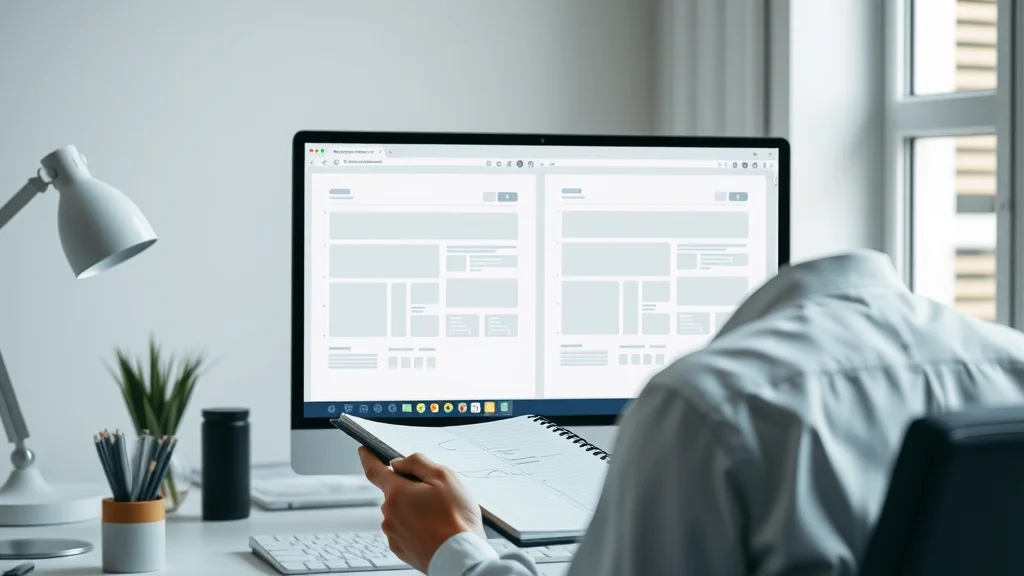
Collaborative design tools have become essential for modern web development, especially for small businesses. These platforms allow web designers, web developers, and graphic designers to work together in real-time, streamlining feedback and revisions. A collaborative design tool helps ensure every stakeholder is aligned, leading to faster project completion and more consistent results.
With features like shared prototyping, live previews, and instant commenting, these tools bridge the gap between visual design and technical implementation. This means the finished website is what everyone envisioned—a clear, attractive, and conversion-focused experience. Investing in collaborative platforms doesn’t just make design work easier; it ultimately leads to a website that better meets customer expectations and business goals.
Guided User Experiences: Making Calls-to-Action Obvious
A high-converting website doesn’t leave visitors guessing about what to do next. Web design teams place calls-to-action in obvious, prominent positions—using color contrast, supportive graphics, and concise labels like “Get Started” or “Contact Now. ” These elements are reinforced through layout, ensuring that as users scroll or navigate, they’re always led toward a next step.
For small businesses, the key to generating more leads is making action steps unmistakable and accessible throughout the user journey. Visitors should never have to look hard for a contact form or booking button. The best sites reinforce calls-to-action with clear headings, supporting text, and graphic design touches that make them inviting and trustworthy. This guided approach leads to a seamless experience where every visitor knows how to become a customer.
| Feature | Layout Approach | Design Principle | Lead Generation Benefit |
|---|---|---|---|
| Hero Section | Placed at the top with clear value statement | Bold typography, branded colors | Captures immediate attention, introduces offer |
| Call-to-Action Button | Repeated in logical sections on every page | Contrasting color, large button, clear label | Makes next steps obvious, increases clicks |
| Testimonials Section | Featured after primary services or product info | Clean layout, client photos/icons for trust | Builds credibility, reassures prospects |
| Mobile Responsive Grid | Adapts all elements for mobile screens | Simple, fluid design, scalable visuals | Keeps site usable on all devices |
How Small Businesses Compete: Clarity, Visibility, and Website Layout vs Design
Standing Out Online: Web Design Clarity vs Competitor Confusion
Small businesses face fierce competition online—not just on the quality of their services, but on how clearly and quickly they communicate their offer. In a typical search, potential customers compare multiple business sites within minutes, favoring those that instantly express value and next steps. If your web design and layout are cluttered, unclear, or overloaded with choices, you risk blending in or driving people away in moments.
A focused, well-structured page layout paired with consistent graphic design creates immediate impact and differentiates your business from others. When users land on your site, they must instantly grasp who you are, what you provide, and how to take the next step. By reducing confusion and highlighting clarity, you’ll position your business as the obvious, trustworthy choice in your market.

Comparing Offers: Why Simpler Layout and Design Wins
Complex designs can look impressive, but when customers compare businesses, simplicity almost always wins. Visitors searching for services or products want answers fast—they often contact the first business that “makes sense” based on obvious messaging and easy navigation. If your layout prioritizes an uncluttered path and your design reinforces trust, leads are much more likely to contact you rather than a competitor with a confusing or flashy website.
Effective layout and well-chosen design principles mean highlighting offers and contact options without distractions. In side-by-side comparisons, sites that are more streamlined and easier to navigate consistently convert better. By prioritizing clarity and reducing unnecessary visual elements, small businesses dramatically increase the chances of being chosen.
“Customers often contact the first business that makes sense to them online.”
The Role of Consistency and Recognition in Conversions
Consistency in website layout, design elements, font usage, and branding visuals builds recognition and trust with repeat visitors. When a business uses the same color scheme, logo placement, and structural layout across all pages, it helps users become familiar with the experience, making future interactions faster and more comfortable.
This consistency also assures new customers that the business is reliable and pays attention to detail. Users subconsciously associate consistent presentation with professionalism, which makes them more likely to return or recommend your site. Over time, these small touches build strong brand equity and turn more browsers into loyal customers.
Website Layout vs Design Mistakes That Cost Leads
Unclear Messaging and Confusing Page Layout
One of the most common ways small businesses lose leads is by making their websites hard to understand. Visitors land on a page, and if it’s not immediately obvious what the business does or what the next step is, they simply leave to find someone clearer. Unclear messaging—such as ambiguous service descriptions, generic headlines, or hidden offerings—leaves the visitor guessing rather than acting.
Page layout mistakes add to the confusion. Disorganized content sections, overcrowded menus, missing calls-to-action, or poor use of space all create friction. Without a clear path or logical content flow, even businesses with great reputations can see visitors slip away before ever making contact.
Complex Navigation vs Simple Structure: What Drives Users Away
Navigation should never be a puzzle for website visitors. Excess menu choices, hidden pages, or difficult-to-read links force users to think harder than necessary. When the navigation feels overwhelming or unintuitive, visitors—especially on mobile devices—are more likely to abandon the site entirely.
Simple structure, such as a one-page scroll or clearly segmented sections on a home page, helps guide users naturally toward conversion. Web designers who prioritize minimal steps, logical orders, and easy-to-access information create environments where visitors can act without hesitation. This simplicity outperforms even the most beautifully designed but confusing websites every time.
Ignoring Mobile and Responsive Design Pitfalls
With so many searches and web sessions happening on mobile devices, ignoring mobile-friendly design means losing a significant chunk of potential leads. Failure to use responsive layouts, optimize image sizes, or design for touch-screen usability sends visitors away, even before they’ve engaged with content or offers.
For all types of businesses—from restaurants and contractors to local retail or healthcare—responsive design not only expands reach but also signals credibility. It shows that you understand your audience and want to make things easy for them. Fixing mobile pitfalls is often one of the fastest, most impactful ways to improve conversion rates on any website.
- Hiding calls-to-action below the scroll or in crowded menus
- Overusing graphics and animations that distract from the main offer
- Writing unclear headlines or descriptions (“Welcome” instead of what you do)
- Using complex navigation structures instead of clear, direct paths
- Failing to test layouts on different devices and screen sizes
- Having inconsistent branding or visual hierarchy across pages
People Also Ask: Website Layout vs Design Insights
What's the Difference Between Layout and Design?
Website layout defines where elements are placed—like text, images, and buttons—structured for smooth navigation. Website design refers to how those elements look and feel, including color palettes, typography, and graphical style. Layout influences usability and path to conversion, while design sets tone, brand perception, and emotional appeal. Both are essential; together, they create user experiences that build trust and drive action.
What Are the 7 C's of a Website?
The 7 C's guide website layout and design for clarity and effectiveness. They include: Clarity (clear message and navigation), Consistency (uniform branding), Compatibility (works across devices), Credibility (trust-building elements), Content (relevant, engaging text/images), Connectivity (links with other channels or platforms), and Convenience (ease of use and quick access to info). These principles help ensure websites serve customers well and improve conversion rates.
What Are the 4 Types of Layout?
In web design, the four main types of layout are: Block (sections stacked vertically), Grid (elements arranged in systematic rows and columns), F-shape (content aligned for left-to-right reading/scrolling), and Z-pattern (key elements placed along a “Z” route). Each serves different goals: block layouts aid scrolling, grid layouts support visual balance, F-shapes reflect natural reading patterns, and Z-patterns direct eyes from headline, to image, to call-to-action effectively.
What Comes First, Content or Design?
Content comes first. Planning what needs to be communicated—what’s unique about your business, what action you want visitors to take—guides both website layout and design decisions. Once priorities and messaging are clear, designers can choose the right structures and visual elements to help information stand out and drive conversions. A design-first approach risks burying critical details or confusing users, making the alignment of content and layout essential to success.
FAQs About Website Layout vs Design and Conversion
-
How does website layout influence conversion rates for local businesses?
Website layout influences conversion rates by directing visitors’ attention to offers and calls-to-action, minimizing distractions, and making it easy to get in touch or book. Clear, simple layouts remove barriers that would otherwise prevent visitors from acting. -
Why is visual hierarchy important in website design?
Visual hierarchy uses size, color, and contrast to make important information stand out. This ensures users find what they need quickly, follow a logical path, and are naturally led toward conversion actions, improving overall user experience and lead flow. -
Can a simple website layout outperform a highly designed website?
Yes, simplicity often outperforms fancy visuals. Simple layouts make it clear what to do next, minimize confusion, and work well on all devices—especially mobile. Users typically choose businesses with easy-to-navigate, actionable pages over sites with complex or distracting designs. -
How important is mobile-first design for small business websites?
Mobile-first design is essential. Most users now browse on phones, so a site that’s easy to scroll, read, and interact with on mobile keeps more visitors engaged and leads to more conversions. Ignoring mobile design means missing out on a large portion of potential customers.
Key Takeaways: Turning Website Layout vs Design Into Better Conversions
- First impressions and clear navigation drive more leads than complex graphics alone.
- Visitors value simple, clear, and actionable designs on any device.
- Conversion is guided more by clarity and call-to-action placement than by visual flair.
- Lead generation websites benefit from a focus on user experience, not just information.
Building Results With Effective Website Layout vs Design
Visibility and Trust: How Small Improvements Build Over Time
Improving website layout and design is a process—not a one-time fix. Each small adjustment in clarity, structure, or call-to-action placement builds greater trust and visibility for your business. Over time, these incremental changes help your website become the go-to destination for local customers, yielding more leads and higher satisfaction.
Continual refinement, based on how real users interact with your site, ensures that you keep pace with online behavior trends and stay ahead of the competition. Reliable, clear, and recognizable web pages make your brand memorable, fostering lasting customer relationships and growth.
How Consistent Design Choices Enhance Recognition and Lead Flow
Consistent design—from repeated branding elements to uniform page layouts—makes it easy for visitors to recognize and trust your business. Every time someone encounters your logo, color scheme, or website structure, familiarity grows, and so does their comfort with reaching out or completing a transaction.
This approach is not just about looking polished. It’s about building a foundation where every detail, from layout flow to call-to-action buttons, serves a single goal: guiding more visitors from browsing to becoming actual leads or customers.
Why It’s Easier to Win Customers With Clear, Simple Structures
Online visitors appreciate when answers come fast and next steps are obvious. Clear, simple website structures remove friction and prevent confusion at every turn. Small businesses, whether offering local services, retail goods, or professional consultations, build confidence and win more business when their websites focus on what matters most: making it effortless for users to understand, navigate, and contact you.
In the competition for attention, sites that communicate clearly and efficiently capture more leads and generate more meaningful business than those chasing visual trends or overwhelming users with options.
“Small changes in clarity and layout lead to more leads — and the right customers.”
Explainer animation: Difference between website layout and design for lead generation—see how a cluttered site transforms into a conversion-focused, user-friendly experience.
Discover How Lead Generation Websites Work
- Learn practical steps to move your website from information-only to lead-generating asset. Explore lead generation website strategies and implementation at https://localauthoritycontentsystem.com/lead-generation-website-system
Remember, small improvements in website layout and design yield outsized results. By prioritizing clarity, trust, and user experience, your business can turn more visitors into leads—outperforming competitors with a site that works just the way your customers expect.
If you’re ready to take your website’s performance to the next level, consider exploring broader strategies that integrate layout, design, and content authority. The Local Authority Content System™ Insights & Strategy offers a comprehensive approach to building trust, visibility, and long-term results for your business online. By combining proven publishing frameworks with effective design, you can create a digital presence that not only attracts visitors but also positions your brand as a leader in your local market. Dive deeper into these advanced strategies to unlock new opportunities for growth and sustained lead generation.




Write A Comment